


AI Inpainting: A Detailed Comparison of GPT-4o and Dreamimage
- GPT-4o Image
- AI Image Generator
- Dream Image
AI inpainting, the art of seamlessly modifying parts of an image with a text prompt, is one of the most powerful tools in a creator's toolkit. But performance varies wildly between platforms. We put two AI heavyweights, GPT-4o and Dreamimage, to the test in three distinct inpainting challenges to see which one performs best.
To ensure a fair test, we used identical, highly detailed prompts on both platforms. The tasks included re-coloring an outfit, replacing an object, and changing a dress style.
Task 1: Re-coloring an Athletic Outfit
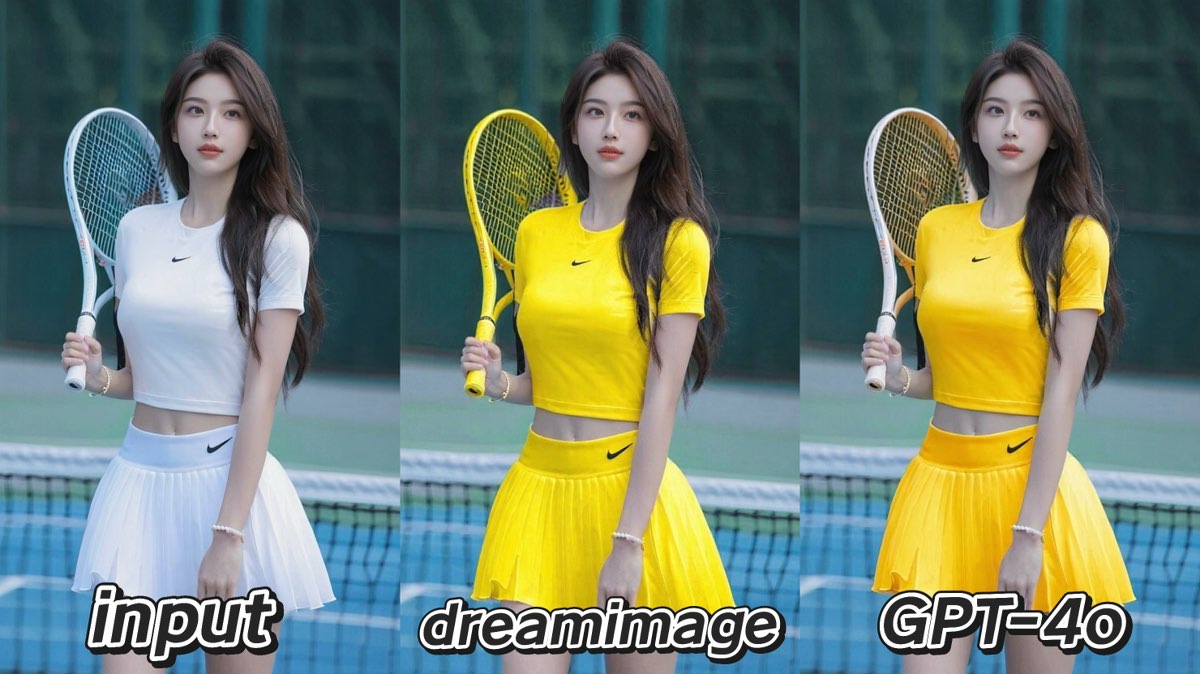
Both tools performed exceptionally well at changing the white tennis outfit to yellow while preserving the logos.
Prompt:Inpaint the athletic outfit, transforming the white crop top and pleated skirt into a vibrant, sun-kissed yellow. The material should look like a modern, lightweight performance fabric. Meticulously preserve the original style, fit, and the black logo on both the shirt and the skirt.
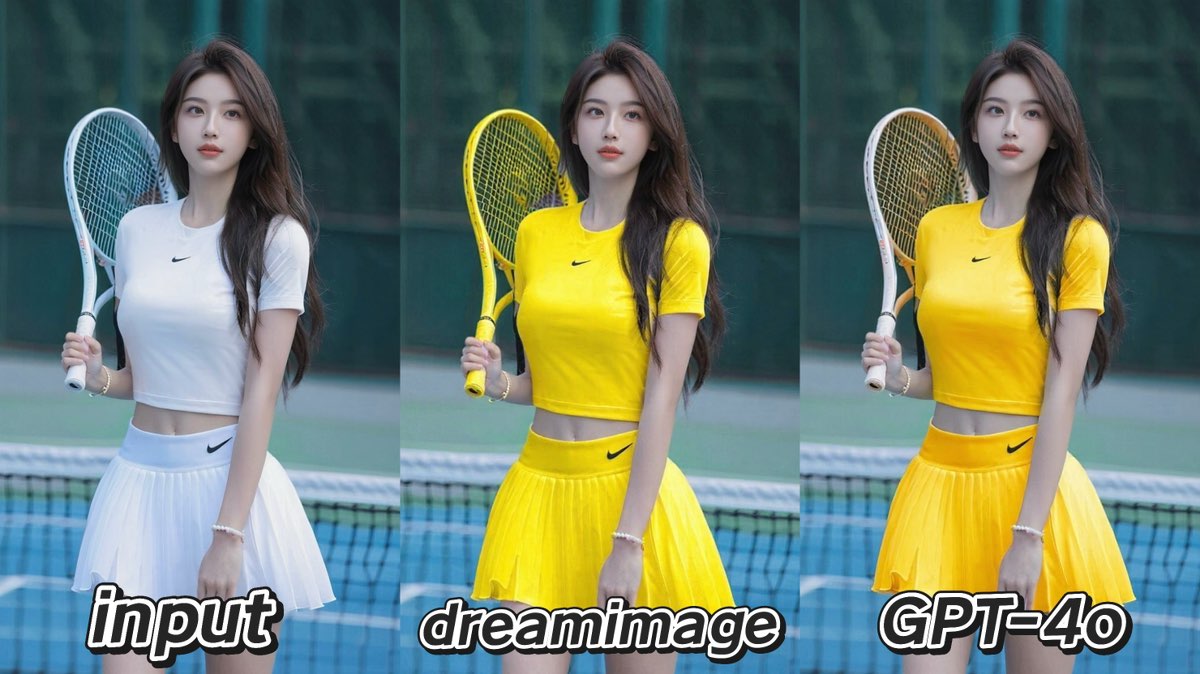
Dreamimage delivered a vibrant result and made an intelligent, context-aware change by also coloring the tennis racket yellow, creating a very cohesive image.
GPT-4o also produced a fantastic result, though its fabric texture appeared softer, more like velvet than a performance material. It adhered strictly to the prompt, changing only the clothing.
Task 2: Replacing an Object (Perfume to Flower)
This test revealed a clear difference in realism.
Prompt:Inpaint the area of her hand to replace the perfume bottle with a single, hyper-realistic white gardenia flower, just beginning to open. The petals should appear soft and velvety, with a few delicate, glistening dewdrops. Ensure her fingers are positioned to be holding the flower's stem gently and naturally.
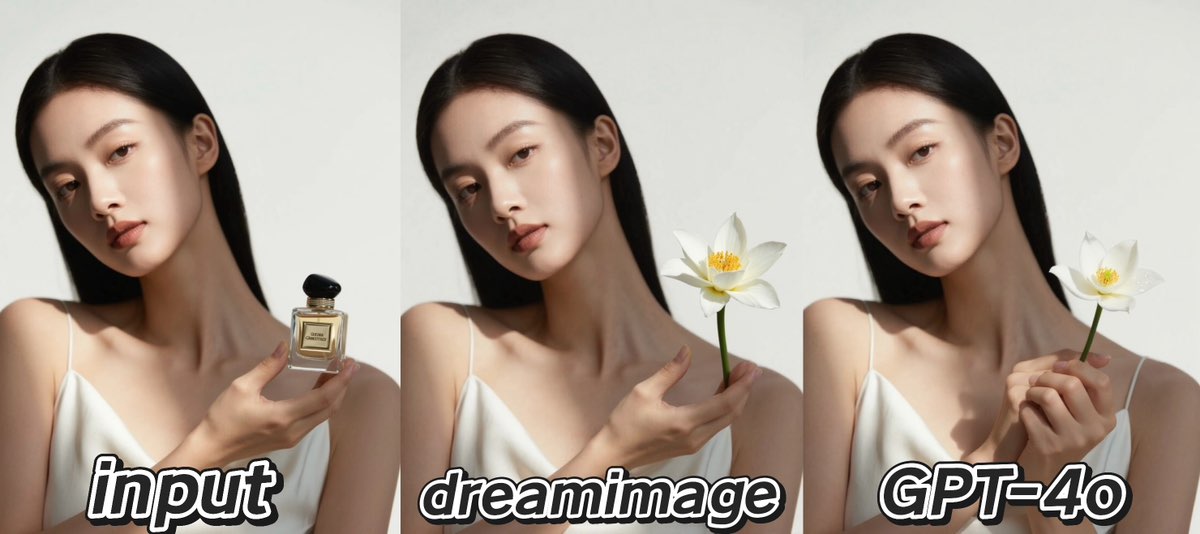
Dreamimage successfully replaced the bottle with a flower, but the flower type was not quite what was prompted, and the way the hand held it looked slightly unnatural.
GPT-4o excelled here, generating a hyper-realistic flower and, crucially, rendering the hand holding the stem in a perfectly natural and delicate way. The physical interaction was far more believable.
Task 3: Changing a Dress Style
This challenge highlighted their different approaches to inpainting.
Prompt:Inpaint the model's dress, replacing it with a clean-cut, knee-length A-line dress made of deep navy-blue silk, featuring simple spaghetti straps. Maintain the woman's pose, the serum in her hand, and the overall background and lighting.
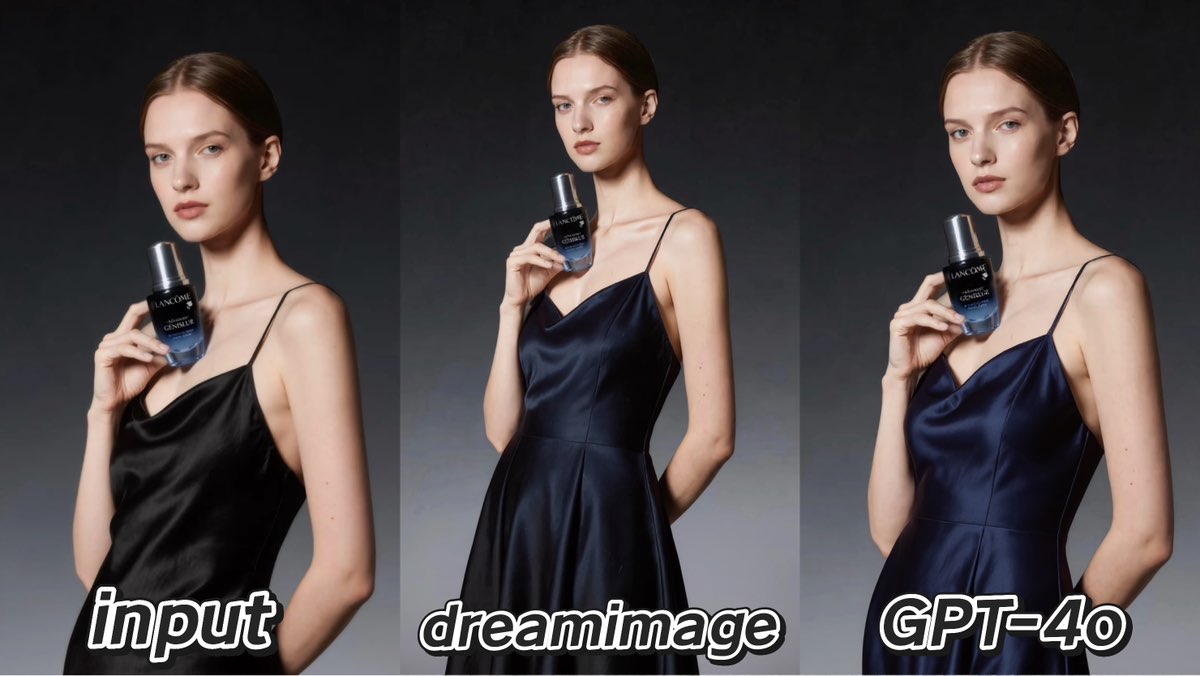
Dreamimage did a better job of changing the style of the dress to the prompted A-line shape. However, the fabric texture it generated was less realistic, lacking the sheen of silk.
GPT-4o showcased its strength in photorealism, rendering a beautiful, true-to-life silk texture with perfect lighting. Its weakness was that it adapted the existing dress into a new color and fabric rather than completely changing its A-line style.
Conclusion: The Right Tool for Your Goal
There is no single winner; the best tool depends on your specific need.
Choose Dreamimage when your goal is a bold, creative, or stylistic transformation and you appreciate intelligent, context-aware additions.
Choose GPT-4o when photorealism is paramount. It is the top choice for believable object replacement, realistic textures, and seamless lighting integration.

15 Seconds from Images to Talking Avatars: How DreamFace Powers Next-Gen Creativity
Sep 10, 2025
Bringing Avatars to Life: How PixVerse V5 and DreamFace Avatar Video Transform AI Storytelling
Sep 11, 2025
How to Create a 3D Figure from a Photo with Nano Banana
Sep 08, 2025
How to Use Google Nano Banana: Revolutionizing Your Photo Editing Experience
Sep 07, 2025
How to Create a 3D Figure from a Photo with Nano Banana
With Nano Banana, you can transform a simple image into a detailed, 3D figurine-style model. Whether you’re looking to turn a portrait into a stylized figurine or create a fully custom 3D model, Nano Banana offers a simple and efficient solution for artists, designers, and enthusiasts alike.
By Noah 一 Jul 13, 2025- Nano Banana
- AI Image Generator
How to Use Google Nano Banana: Revolutionizing Your Photo Editing Experience
Google Nano Banana offers an incredible suite of AI-driven features that allow you to generate and enhance images effortlessly. From turning casual photos into professional ID pictures to restoring old, damaged photos with stunning accuracy, this tool is designed to meet a wide range of needs.
By Noah 一 Jul 13, 2025- Nano Banana
- AI Image Generator
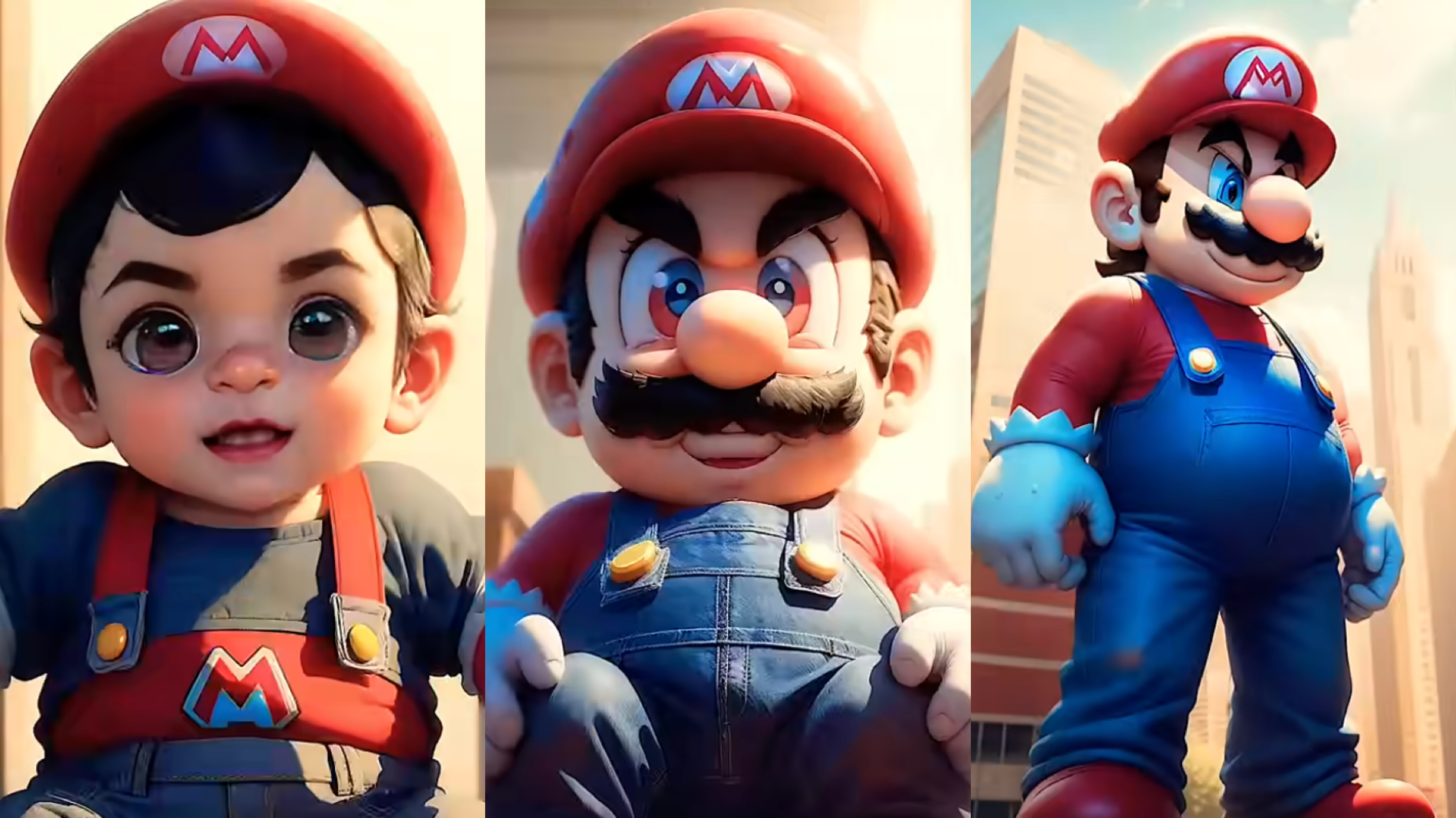
From Baby Mario to Menace Mario: How to Make a Million-viewed AI Glow-Up Video with Dreamface?
Here’s your step-by-step guide to creating a “Baby to Menace” Mario AI video using Dreamface’s AI Image and AI Video
By Noah 一 Jul 13, 2025- AI Image Generator
- Mario
- AI Video
- X
- Youtube
- Discord