


Dreamface vs Hedra: Which AI Video Platform Wins in 2025?
- AI Video
- AI Video Generator
- Hedra
DREAMFACE VS HEDRA
Dreamface is a next-generation AI video platform that transforms text, images, and avatars into lifelike videos with stunning precision. Built for creators, teams, and businesses, Dreamface offers deep customization, AI editing, and seamless content generation – all in one place.
Hedra, on the other hand, is a powerful enterprise-level video creation tool designed for internal comms, L&D, and customer education. While it excels in structured workflows, it often feels less agile for fast-moving teams or smaller content creators.
So which one should you use in 2025? Let’s find out. 👇
See How Dreamface Compares to Hedra
Here’s at-a-glance comparison of Dreamface versus Hedra—and why Dreamface stands out:
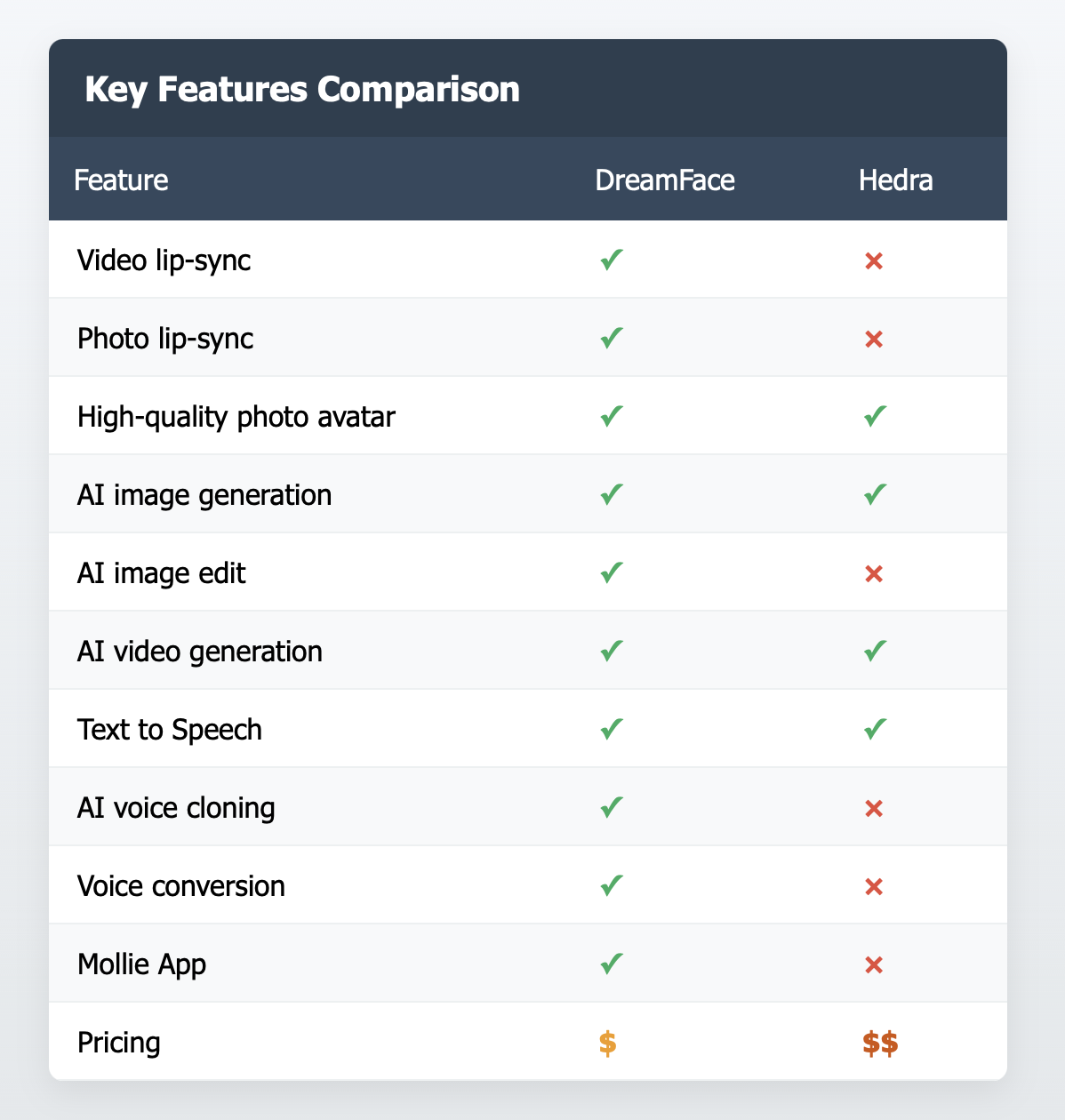
3 Reasons to Choose Dreamface over HeyGen
✅ Superior Avatar Realism & Personalization
Dreamface leads the pack when it comes to avatar realism. With detailed facial expressions, natural lip-syncing, and a wide range of personalization options, your AI avatar will look and feel more human. Hedra offers avatars too, but its focus is more utilitarian and less customizable in visual nuance.
✅ Creative Freedom with Built-in AI Editing
Dreamface is more than a talking-head generator. Its built-in AI tools allow users to modify backgrounds, adjust styles, enhance audio, and even write scripts with AI assistance. Hedra leans heavily into templated corporate formats – great for uniformity, but limiting for creators who want full creative control.
✅ Faster Setup, No Heavy Tech Lift
While Hedra is robust, it often requires onboarding, team integration, and IT involvement. Dreamface is plug-and-play – you can start creating professional-quality videos in minutes without needing an enterprise setup. It’s ideal for agile teams, startups, and solo creators who want speed and simplicity.
Why Teams Love Dreamface?
🎨 All‑in‑one creative suite
Beyond avatars, the platform includes filters, enhancements, image-to-video, voice cloning, and fun effects like “AI Kiss,” “AI Muscle Generator,” and “Pet To Human” tools. Teams appreciate being able to use one tool for diverse needs across social, training, marketing, and internal comms.
⏱️ Quick content turnaround
Dreamface’s generation is fast—as short videos or animated photos are created within seconds from uploads and scripts, enabling teams to iterate quickly. This speed is a big plus for marketing teams needing rapid video content volume.
🔒 Secure, privacy-conscious design
Developed by New Port LLC, Dreamface emphasizes data encryption and deletion policies—essential for teams handling sensitive content.
👥 Flexible for all team sizes
From solo creators to large teams, Dreamface scales nicely. A single account unlocks most features across devices and formats—ideal for distributed or creative teams collaborating on video content.
FAQ 🤔
-Q: Can I use Dreamface without any video editing experience?
-A: Absolutely. Dreamface is built for beginners and pros alike. You can generate an entire video using just text input — the AI handles the rest.
-Q: How is Dreamface different from Hedra in terms of use cases?
-A: While Hedra is mainly geared toward corporate training and internal communication, Dreamface covers a wider range — including marketing, social media, influencer content, and education.
-Q: Is Dreamface good for large teams or just solo creators?
-A: Both. Dreamface offers scalable plans for freelancers, teams, and enterprises — with collaboration tools that make managing multiple projects seamless.
-Q: Do I need to install anything to use Dreamface?
-A: No. Dreamface is completely web-based. Just sign in, create, and export — all from your browser.
-Q: Can I use Dreamface avatars in different languages?
-A: Yes! Dreamface supports multilingual voiceovers and subtitles, making it ideal for global communication.

15 Seconds from Images to Talking Avatars: How DreamFace Powers Next-Gen Creativity
Sep 10, 2025
Bringing Avatars to Life: How PixVerse V5 and DreamFace Avatar Video Transform AI Storytelling
Sep 11, 2025
How to Create a 3D Figure from a Photo with Nano Banana
Sep 08, 2025
How to Use Google Nano Banana: Revolutionizing Your Photo Editing Experience
Sep 07, 2025
15 Seconds from Images to Talking Avatars: How DreamFace Powers Next-Gen Creativity
At DreamFace, we believe that creativity should be fast, powerful, and fun. That’s why we’ve combined the strengths of Dream Video 1.5 and Avatar Video into a seamless workflow that lets anyone transform static ideas into dynamic, speaking AI videos.
By Wyatt 一 Jul 30, 2025- AI Video
- Talking Avatar
Bringing Avatars to Life: How PixVerse V5 and DreamFace Avatar Video Transform AI Storytelling
With PixVerse V5 handling the cinematic video generation and Dream Avatar 3.0 breathing life into characters, the future of AI video creation looks not just innovative—but truly alive.
By Wyatt 一 Jul 30, 2025- AI Video
- Avatar Video
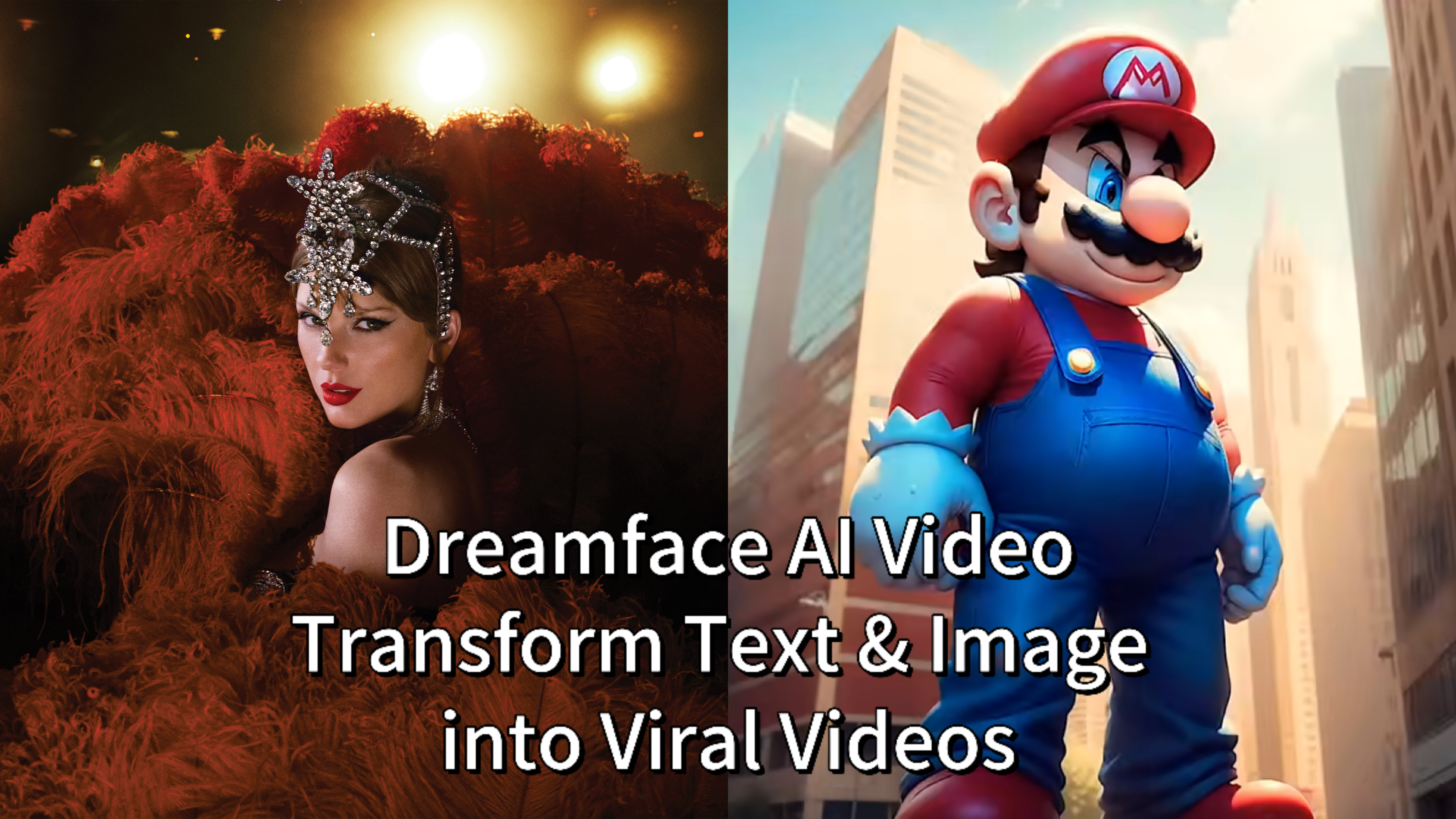
Dreamface AI Video: Transform Text & Images into Viral Videos — Here's How It’s Done
Whether you're a content creator chasing virality or a marketer exploring fresh media formats, Dreamface’s AI Video is intuitive, fast, and astonishingly powerful.
By Wyatt 一 Jul 30, 2025- AI Video
- Text-to-Video
- Image-to-Video
- X
- Youtube
- Discord