


Wipe It Clean: Background Erasure in Style with GPT-4o and Dream Image
- GPT-4o Image
- AI Image Generator
- Dream Image
In the ever-evolving world of AI-assisted image editing, one of the most magical yet essential tools is background erasure. Whether you're a content creator, e-commerce seller, or meme lord, removing cluttered backgrounds can give your visuals a crisp, polished feel. Today, we compare how GPT-4o and Dream Image handle this deceptively simple task—with style.
✨ Why Background Erasure Matters
Background removal isn't just about deleting what's behind the subject. It's about isolation with intention. A clean backdrop draws attention to the main figure, gives flexibility for re-use, and offers better aesthetic control for post-editing or publishing.
Whether you're placing a person in front of a futuristic city or simply cleaning up a messy apartment shot, precise background control is a game changer.
🧪 Sample Prompts for Background Erasure
Here are a few realistic base prompts for creating images, followed by edited prompts for background erasure or swapping. You can test these on both platforms to compare their interpretations:
🔹 Prompt Set 1: Street Photography
Remove all background and isolate the figure on a transparent or white background
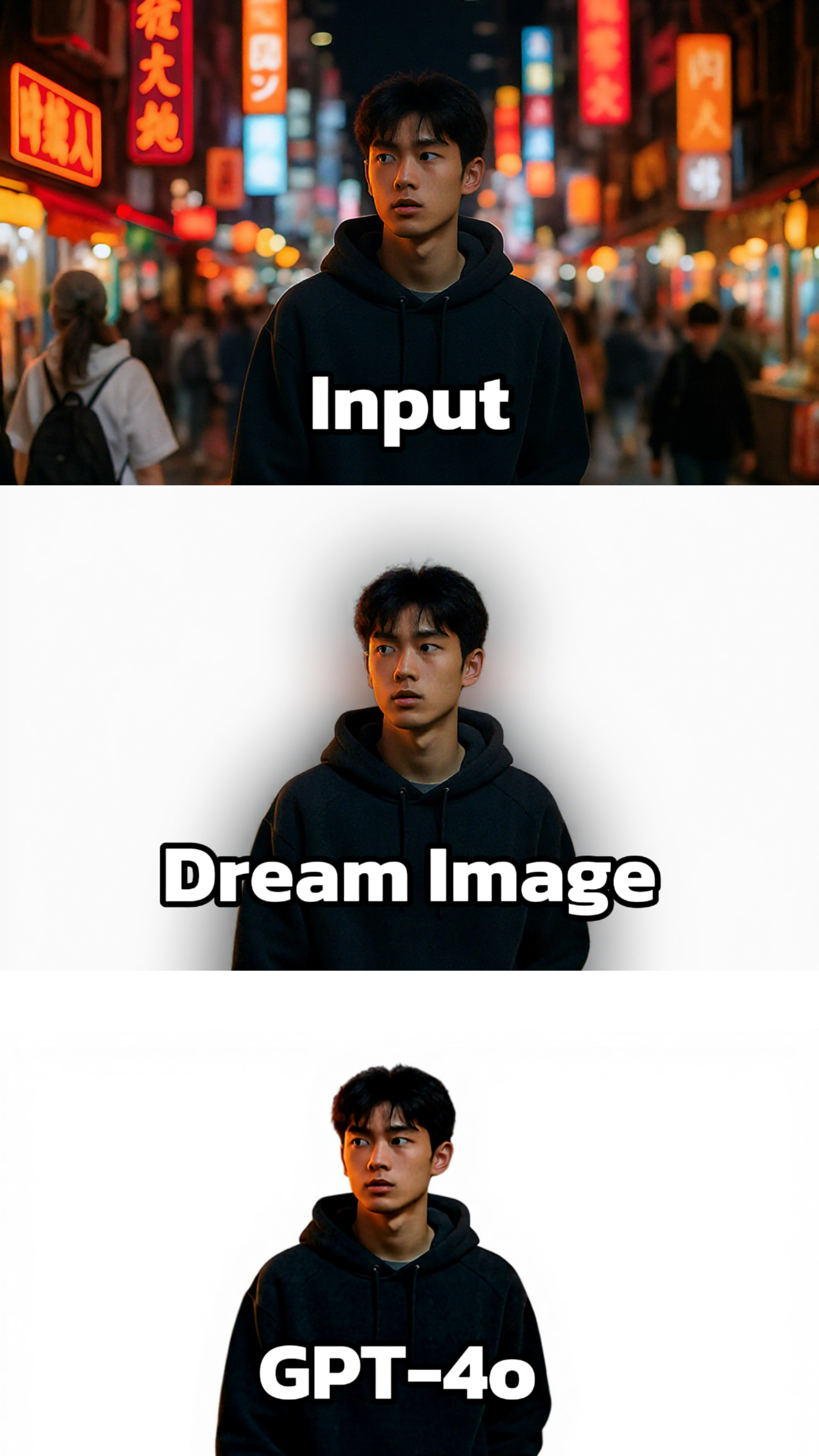
Dream Image: The background is simplified to a clean, white color, which makes the person stand out prominently. The lighting on the person's hoodie is well - adjusted, creating a soft contrast that gives the fabric a more realistic look. The image has a professional and minimalist feel.
GPT - 4o: Also presents the person against a white background, but the lighting seems less controlled. There are areas that appear overexposed, and the details of the hoodie are not as well - defined. The overall image lacks the finesse and balance achieved by Dream Image.
🔹 Prompt Set 2: Fantasy Portrait
Remove the background and place her on a transparent layer, keep shadow details under her boots
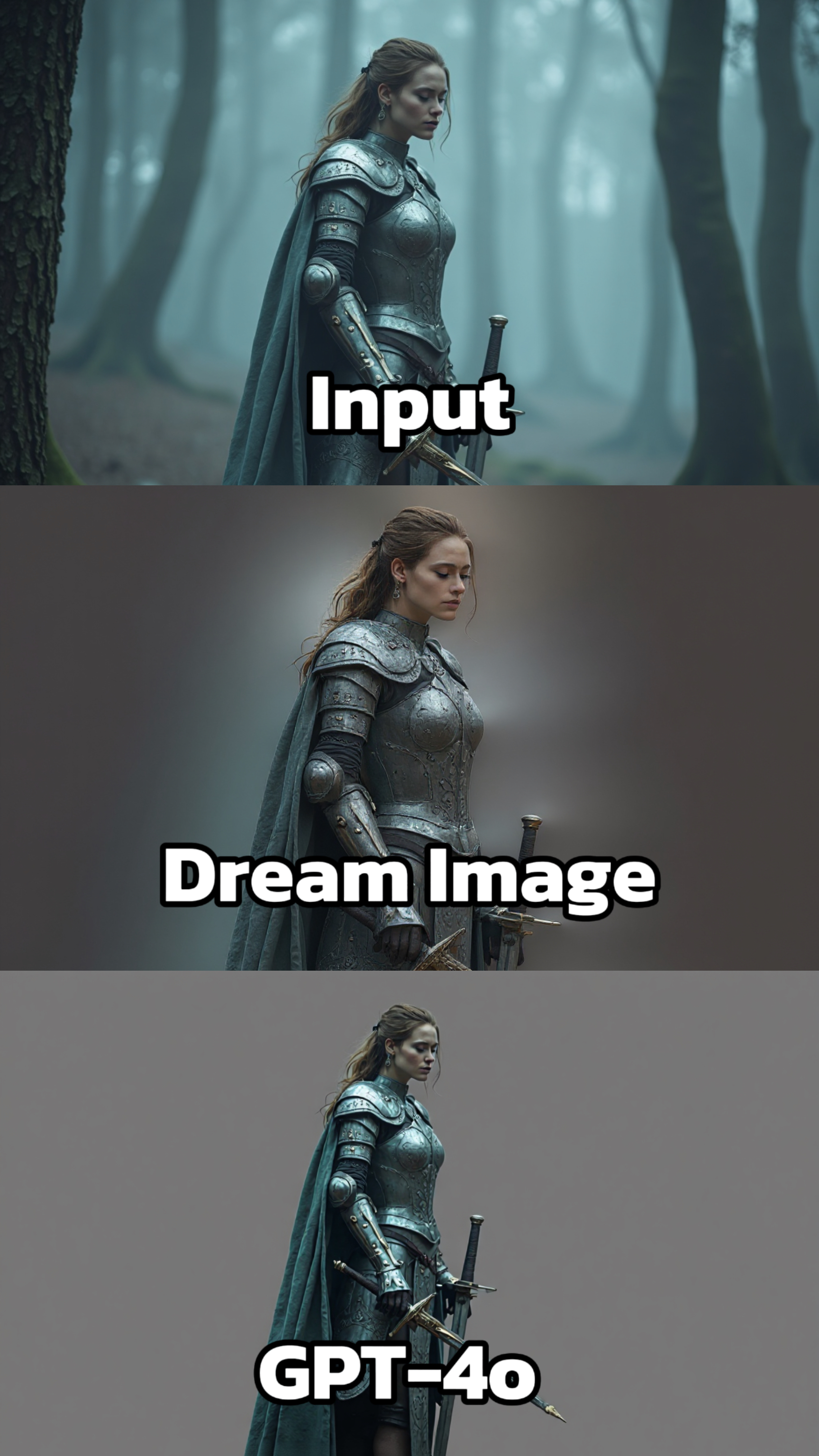
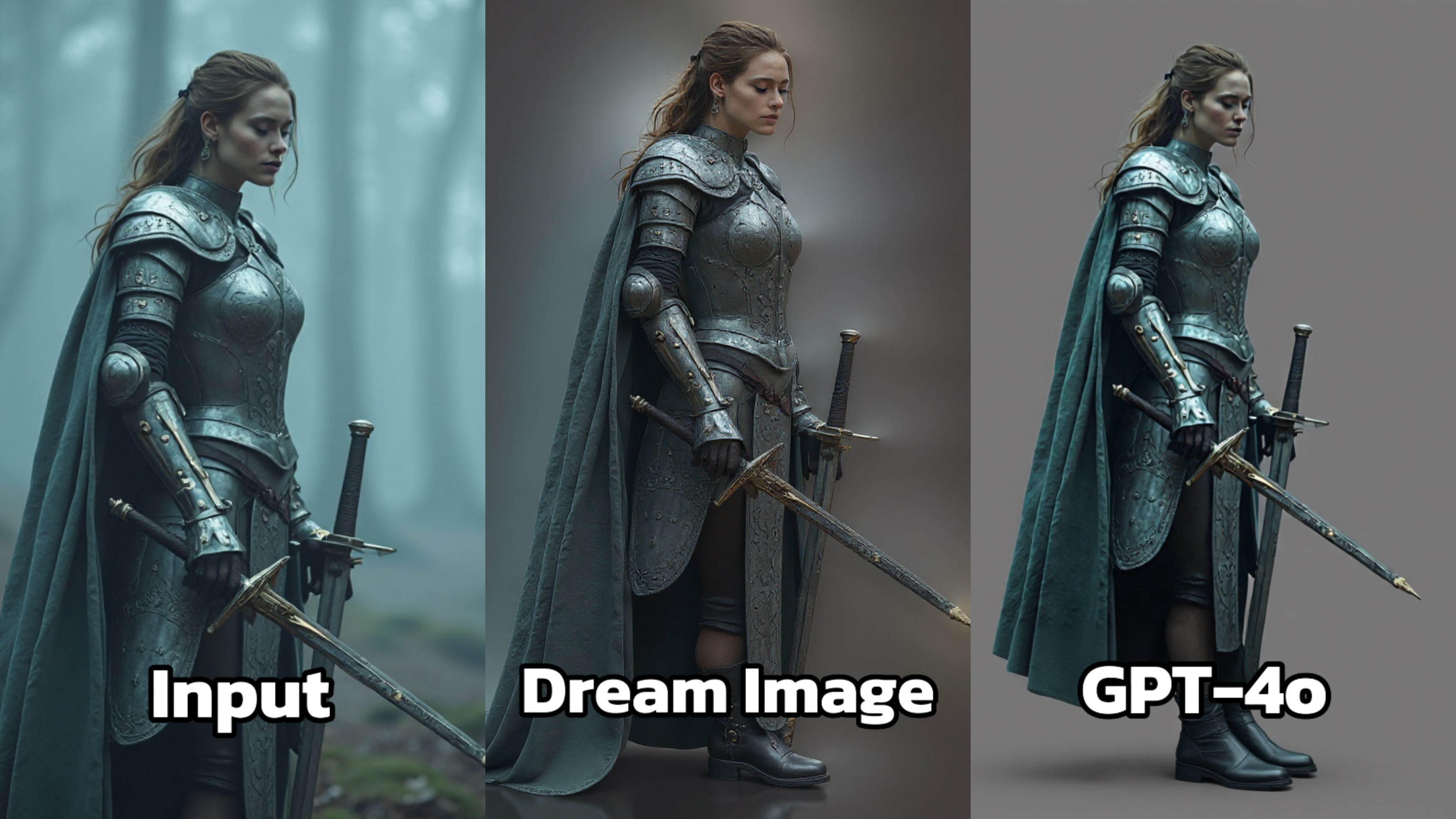
Dream Image: The armor details are more pronounced, with enhanced textures that make the metal look more realistic. The lighting is adjusted to create a dramatic effect, highlighting the contours of the armor and casting subtle shadows that add depth. The overall composition feels more polished, with the background being neutral to keep the focus on the knight.
GPT - 4o: While the basic elements are present, the image lacks the same level of detail in the armor. The textures appear less refined, and the lighting is flatter, failing to create the same sense of depth and dimension. The overall visual impact is less striking compared to Dream Image.
🔹 Prompt Set 3: Product Photography
Remove background and place glasses on a clean white studio background, drop shadow included
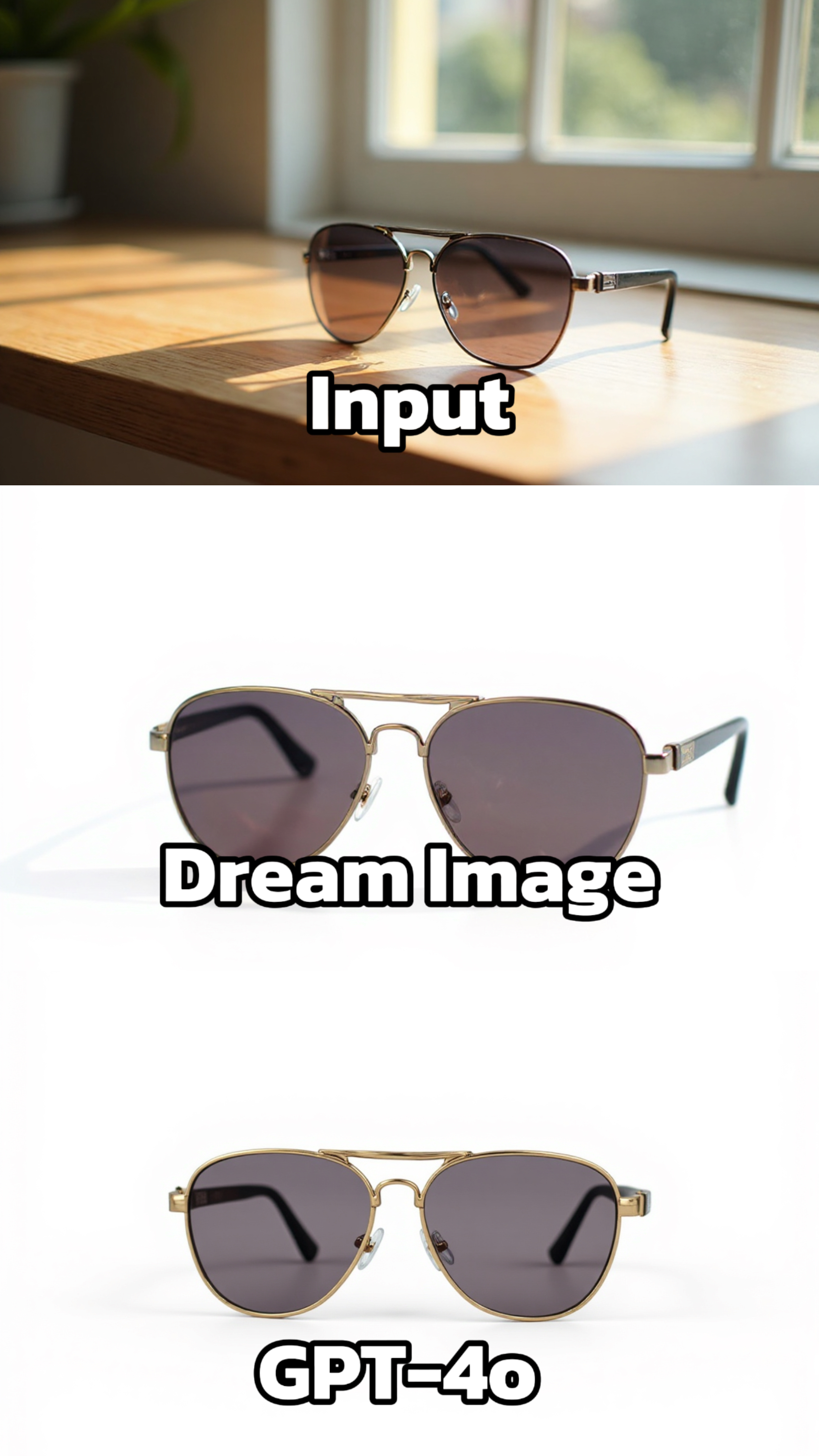
Dream Image: The sunglasses are presented with a high level of detail. The reflections on the lenses and the metallic sheen of the frame are accurately depicted. The lighting is soft and even, highlighting the contours of the sunglasses and making them look more three - dimensional.
GPT - 4o: The generated image of the sunglasses has some inaccuracies in the details. The reflections on the lenses and the texture of the frame are not as well - rendered. The overall image appears a bit less sharp and lacks the precision of Dream Image.
🚀 Meet Dreamface: Where GPT-4o Meets Dream Image
If you're looking for a one-stop platform that combines the creative prompting power of GPT-4o with the precise visual control of Dream Image, look no further than Dreamface.
Dreamface is a next-generation AI photo editing platform that allows you to:
- Effortlessly remove or replace backgrounds
- Use natural language prompts powered by GPT-4o
- Make pixel-level edits through Dream Image’s GUI
- Seamlessly switch between artistic vision and photorealism
- Leverage the Flux Kontext feature for enhanced scene understanding
Whether you're a designer, marketer, or just having fun, Dreamface gives you the best of both AI worlds in one sleek, user-friendly interface.

15 Seconds from Images to Talking Avatars: How DreamFace Powers Next-Gen Creativity
Sep 10, 2025
Bringing Avatars to Life: How PixVerse V5 and DreamFace Avatar Video Transform AI Storytelling
Sep 11, 2025
How to Create a 3D Figure from a Photo with Nano Banana
Sep 08, 2025
How to Use Google Nano Banana: Revolutionizing Your Photo Editing Experience
Sep 07, 2025
How to Create a 3D Figure from a Photo with Nano Banana
With Nano Banana, you can transform a simple image into a detailed, 3D figurine-style model. Whether you’re looking to turn a portrait into a stylized figurine or create a fully custom 3D model, Nano Banana offers a simple and efficient solution for artists, designers, and enthusiasts alike.
By Mwang 一 Jul 15, 2025- Nano Banana
- AI Image Generator
How to Use Google Nano Banana: Revolutionizing Your Photo Editing Experience
Google Nano Banana offers an incredible suite of AI-driven features that allow you to generate and enhance images effortlessly. From turning casual photos into professional ID pictures to restoring old, damaged photos with stunning accuracy, this tool is designed to meet a wide range of needs.
By Mwang 一 Jul 15, 2025- Nano Banana
- AI Image Generator
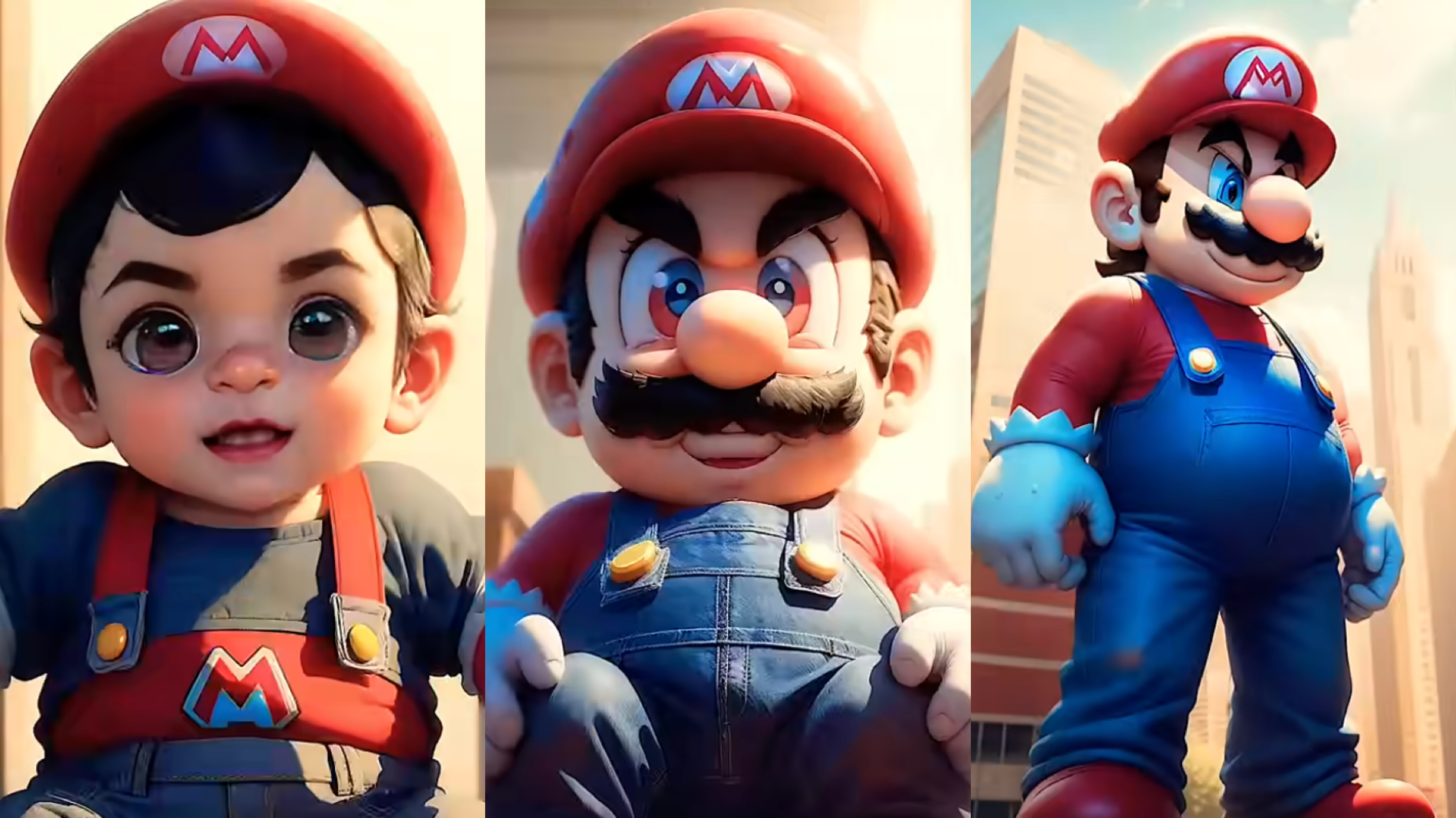
From Baby Mario to Menace Mario: How to Make a Million-viewed AI Glow-Up Video with Dreamface?
Here’s your step-by-step guide to creating a “Baby to Menace” Mario AI video using Dreamface’s AI Image and AI Video
By Mwang 一 Jul 15, 2025- AI Image Generator
- Mario
- AI Video
- X
- Youtube
- Discord