


DreamFace vs. Veed: 2025 Comparison for the Modern Creator
- AI Video
- Avatar Video
- VEED
If you’re exploring AI video creation tools in 2025, you'll find a wide spectrum of options. Two names that often come up, representing different ends of that spectrum, are DreamFace and Veed. While both empower creation, they are built for fundamentally different goals—one for instant, viral creativity and the other for traditional, complex editing.
Whether you’re a social media influencer, a marketer looking for a scroll-stopping hook, or just someone wanting to share a moment of joy, it’s important to pick the tool that values your time and helps you create content that gets noticed.
In this guide, we’ll offer a complete comparison of DreamFace vs. Veed and explore where each platform shines to help you choose the right tool for your creative vision.
General Overview of DreamFace vs. Veed
First thing’s first – here’s a brief overview of each tool.
DreamFace Overview
DreamFace is the pioneering AI animation platform that lets you bring any photo to life in seconds. We are dedicated to making content creation fun, accessible, and instantaneous. DreamFace is loved by millions of creators, influencers, and brands who want to produce hilarious, heartwarming, and viral social media content without any learning curve.
Our core magic is turning static images into dynamic talking or singing videos with a single tap. We believe that powerful AI should be simple, and our platform is a testament to that philosophy.
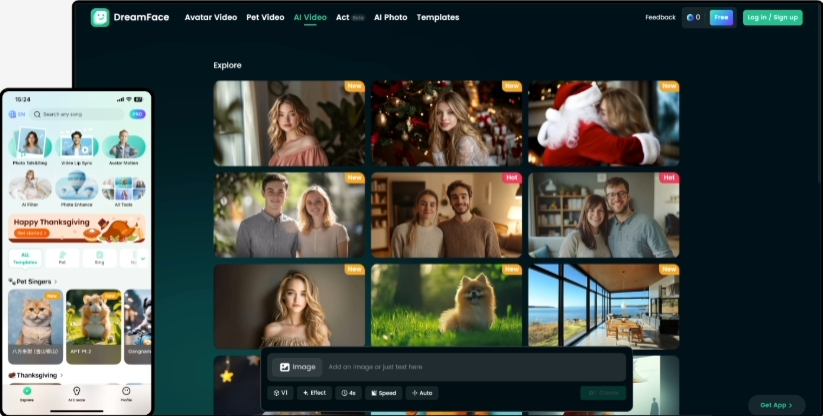
Image: A collage of fun, expressive videos created with DreamFace
Veed Overview
Veed is a broad-scope online video editor that offers a wide array of traditional editing tools. It positions itself as an all-in-one solution for users who need to perform complex tasks like multi-track editing, adding transitions, and screen recording. It is generally geared towards corporate users, educators, and marketers with traditional video production needs.
Its platform includes various features, from basic clipping to AI-powered functions like auto-subtitling, which are integrated into its comprehensive editing interface.
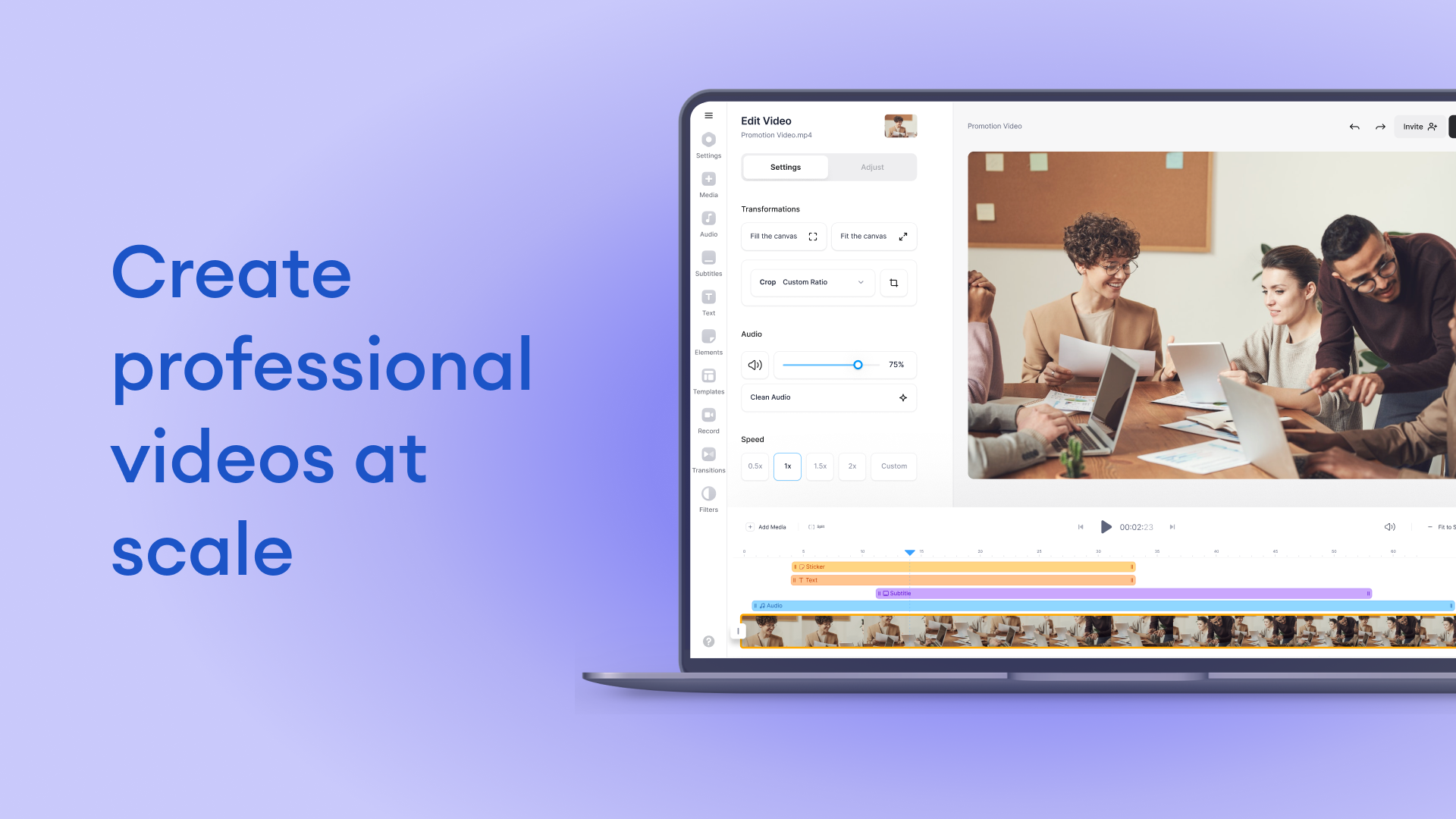
Image: Veed's complex video editing interface with a timeline(Source:G2)
Key Differences Between DreamFace and Veed
DreamFace and Veed both use AI, but our approach and focus cater to different creative needs:
DreamFace:
- Focus on Instant Entertainment: Our platform is purpose-built for creating fun, engaging, and viral content. Your imagination is the only limit.
- Zero Learning Curve: We designed DreamFace to be incredibly intuitive. You can create an amazing video in seconds, not hours. There are no complicated timelines or settings.
- Pioneering Photo Animation: Our core technology is centered on being the world's best at animating faces from a single photo, a feature we have perfected.
Veed:
- General-Purpose Video Suite: It’s a jack-of-all-trades tool that combines traditional editing with some AI features, meaning the AI is an add-on, not the central focus.
- Designed for Complex Projects: The platform is built around a traditional editor, which can be overly complex for users who just want to create a short, impactful clip.
- Time-Intensive Workflow: Creating a video often requires manual editing, adjustments on a timeline, and navigating through numerous menus.
DreamFace: Features, Use Cases, Pricing, Pros and Cons
DreamFace is the leader in AI-powered photo animation, enabling anyone to become a creator without needing technical skills or expensive equipment. Let’s take a closer look at our offerings.
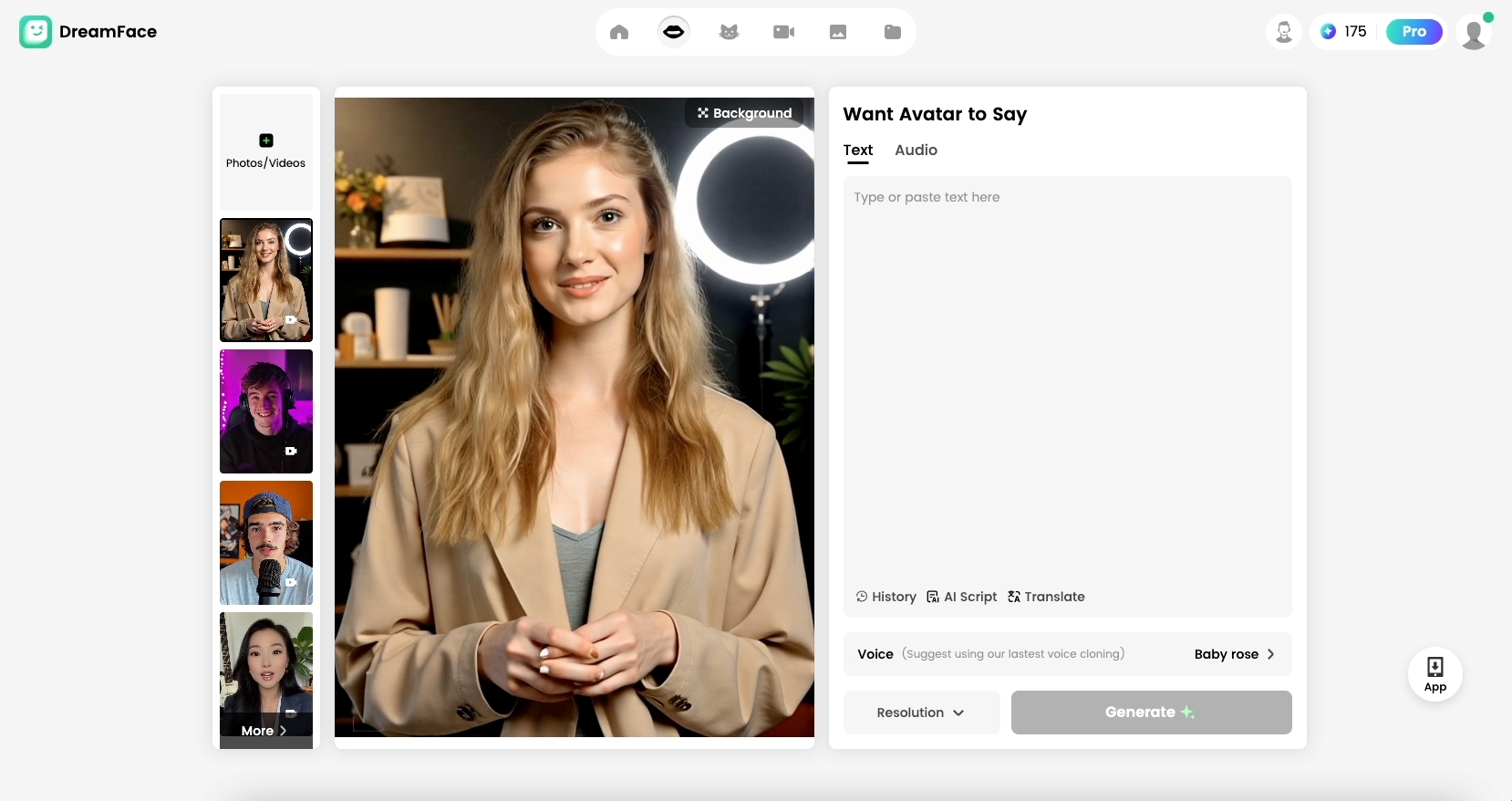
Image: The interface of the DreamFace
Key Features
- AI Talking Photo & Singing Photo
- Vast library of up-to-date songs, memes, and dialogue
- Custom script input with text-to-speech
- Multiple animation styles and fun effects
Main Use Cases
- Viral social media content for TikTok, Instagram, and X
- Unique marketing and advertising hooks
- Personalized greetings for birthdays and holidays
- Creating hilarious memes and sharing joy with friends
DreamFace Pricing
- Free Plan: Get started by creating up to 5 standard-definition, watermarked videos per day.
- Pro Plan ($29.99/year): Perfect for mobile creators, this plan unlocks unlimited, high-definition, watermark-free videos with a longer duration (up to 180s).
- Premium Plan ($119.99/year): For power users on PC who need longer, higher-quality videos. Includes all Pro benefits plus 1080p exports and more weekly credits.
- 3-year Pro Plan ($59.99/3 years): The best value, offering all the benefits of the Pro plan at a significant discount.
Pros
Here’s what our users love about DreamFace, based on app store reviews.
Instant and Effortless Creation Users constantly praise how fast and easy it is to bring their ideas to life.
“I can’t believe it. I took a serious-looking photo of my boss, made it sing a pop song, and the team loved it. It took me literally 30 seconds. This app is pure gold.” – Sarah K.
Unmatched Viral Potential DreamFace content is designed to be shared and to stand out in crowded social media feeds.
“My engagement has skyrocketed since I started using DreamFace for my posts. The videos are eye-catching, funny, and people can't help but share them. It’s a game-changer for any creator.” – @DigitalDanny
Cons
Here's a look at what to consider when choosing DreamFace.
Focused on Animation, Not Full-Suite Editing DreamFace is laser-focused on being the best photo animation tool in the world. We intentionally designed it for speed and fun, rather than for complex, multi-scene video editing projects that require a traditional non-linear editor.
Veed: Features, Use Cases, Pricing, Pros and Cons
Veed is an online video editor that helps users produce a variety of video content through a more traditional editing interface. Let’s dive into its features and more.
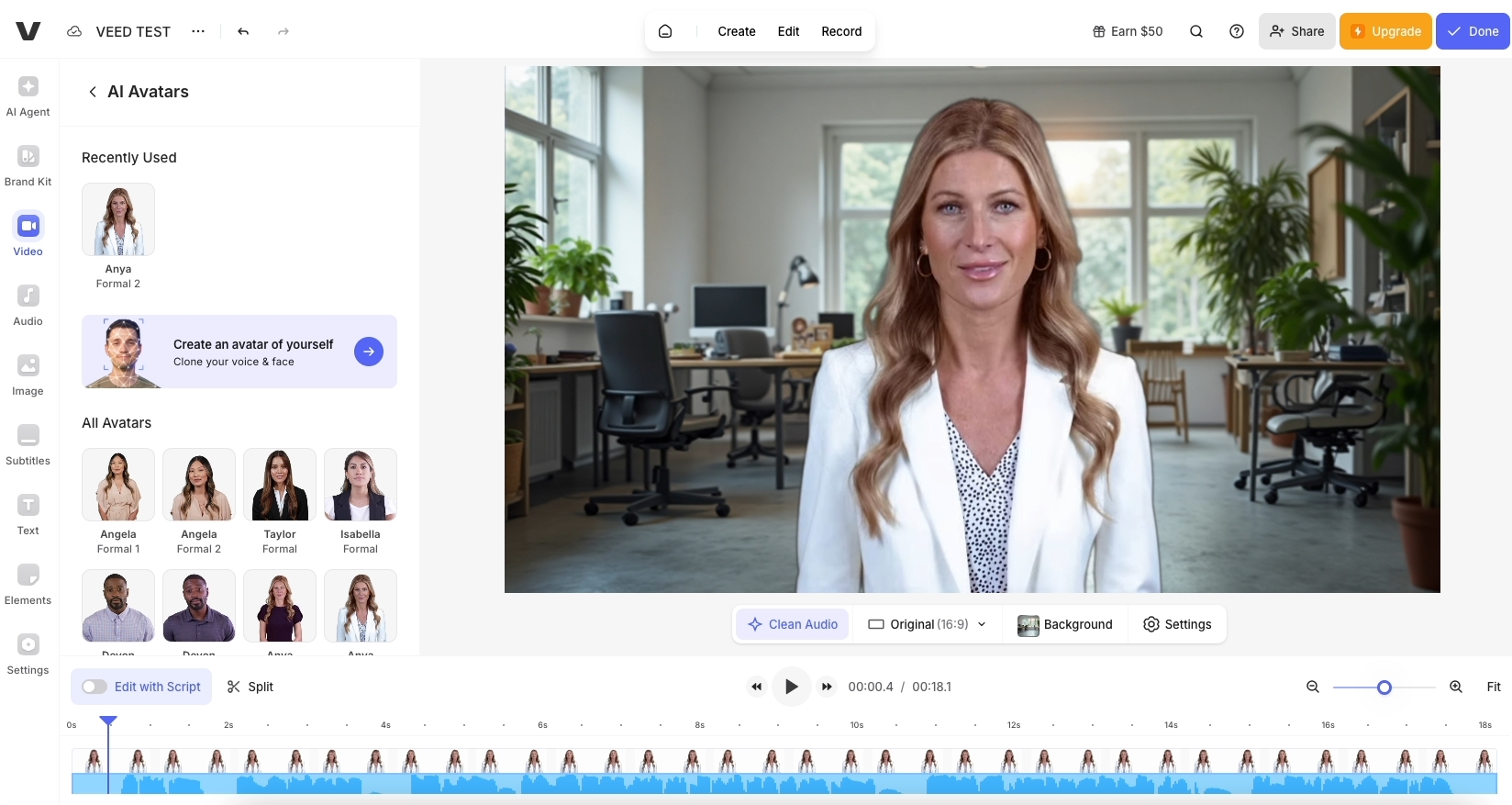
Image: A screenshot of Veed's editor showing its various tool panels
Key Features
- Multi-track timeline editor
- Automatic subtitling
- Screen recorder
- Stock media libraries
Main Use Cases
- Corporate training videos
- Long-form educational content
- Detailed product demonstrations
- Standard business communications
Veed Pricing
- Free Plan: Limited features, includes Veed watermark.
- Lite Plan ($9 per Editor/month, billed annually): Offers watermark-free videos, Full HD 1080p exports, and auto-subtitles.
- Pro Plan ($24 per Editor/month, billed annually): Includes everything in Lite, plus 4K Ultra HD exports, video translation, and AI features like AI Avatars and voice dubbing.
- Enterprise Plan (Custom pricing): For large teams, this tier adds advanced security and SSO, dedicated customer support, video analytics, and multiple brand kits.
Pros
Here’s a recap of Veed’s pros, according to online reviews.
All-in-One Toolbox Users who need a wide range of tools in one place may find its comprehensive nature useful.
“I liked that I could record my screen and then edit it with subtitles in the same application.” – Project Manager
Good Subtitle Functionality Its auto-subtitling feature is often cited as a helpful tool for making videos more accessible.
“The auto-subtitle generator was quite accurate and saved some time in post-production.” – Education User
Cons
Now let’s examine what reviewers say Veed could improve upon.
Steep Learning Curve For users unfamiliar with traditional video editors, the platform can be overwhelming.
“There are so many buttons and menus. I just wanted to do something simple, but I felt like I needed to watch a tutorial first. It’s not very intuitive for beginners.” – Small Business Owner
High Cost for Essential Features Many of the most attractive features, like quality AI tools and branding, are locked behind more expensive tiers.
“To get the features we actually needed, we had to jump to a much pricier plan. It's a significant cost for a small team that doesn't need all the other complex tools.” – Marketing User
Takeaway
There you have it.
Both DreamFace and Veed serve a purpose in the world of video creation. Veed offers a broad, traditional toolkit for those with the time, budget, and need for complex, long-form video editing. It’s a tool from the old school of content creation.
However, in 2025, creation is about speed, engagement, and virality. If you want to create content that captures attention instantly, sparks joy, and makes you a standout creator without getting bogged down in complicated software, DreamFace is the clear and definitive choice.
We are not just a tool; we are your partner in creativity. We empower you to create more, laugh more, and share more.
Ready to bring your photos to life? Download DreamFace and create your first video in seconds!
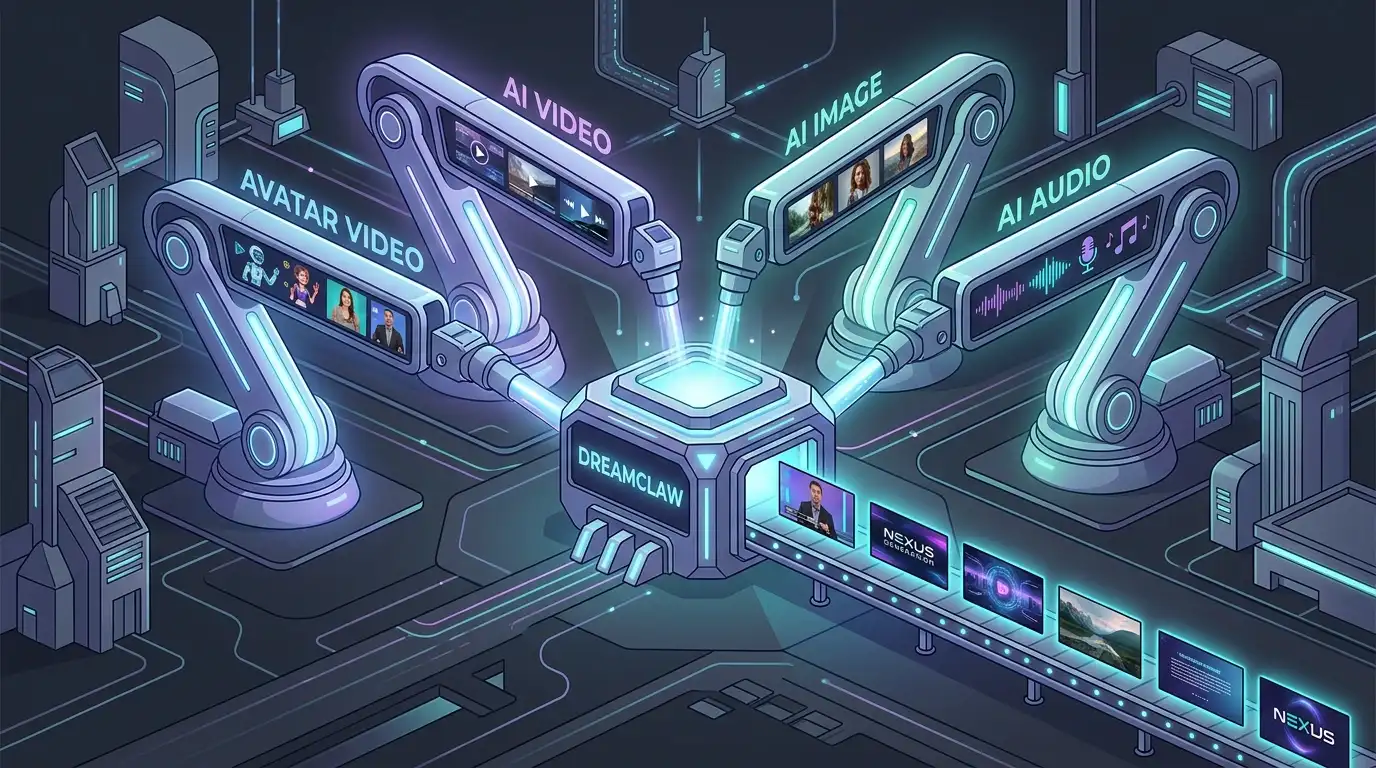
DreamClaw Agent: The All-in-One AI Automation Engine for DreamFace
Mar 04, 2026.jpg)
Seedance 2.0 Prompt Guide: The Ultimate Template for Cinematic AI Videos
Mar 03, 2026
Seedance 2.0 Prompt Guide: The Complete 2026 AI Video Creation Handbook
Feb 28, 2026
Google Nano Banana 2 Review: Pro-Grade Image Generation at Flash-Level Pricing
Feb 26, 2026
Seedance 2.0 Prompt Guide: The Ultimate Template for Cinematic AI Videos
Stop generating "slideshow" videos. This guide provides a creator-first framework for Seedance 2.0, focusing on the two pillars of high-quality AI video: logical structure and cinematic camera movement. Learn how to move beyond basic descriptions by using multi-shot templates, emotional modifiers, and stability constraints to create professional, immersive content. Stop asking if your prompt is detailed—start asking if your video is worth watching.
By Victoria 一 Jul 28, 2025- AI Video
- Text-to-Video
- seedance 2.0
- Image-to-Video
Seedance 2.0 Prompt Guide: The Complete 2026 AI Video Creation Handbook
In February 2026, ByteDance officially released its latest AI video generation model — Seedance 2.0. Dubbed by many in the industry as “the most powerful AI video tool on Earth,” Seedance 2.0 is rapidly reshaping the video creation landscape.
By Victoria 一 Jul 28, 2025- AI Video
- seedance 2.0
- Text-to-Video
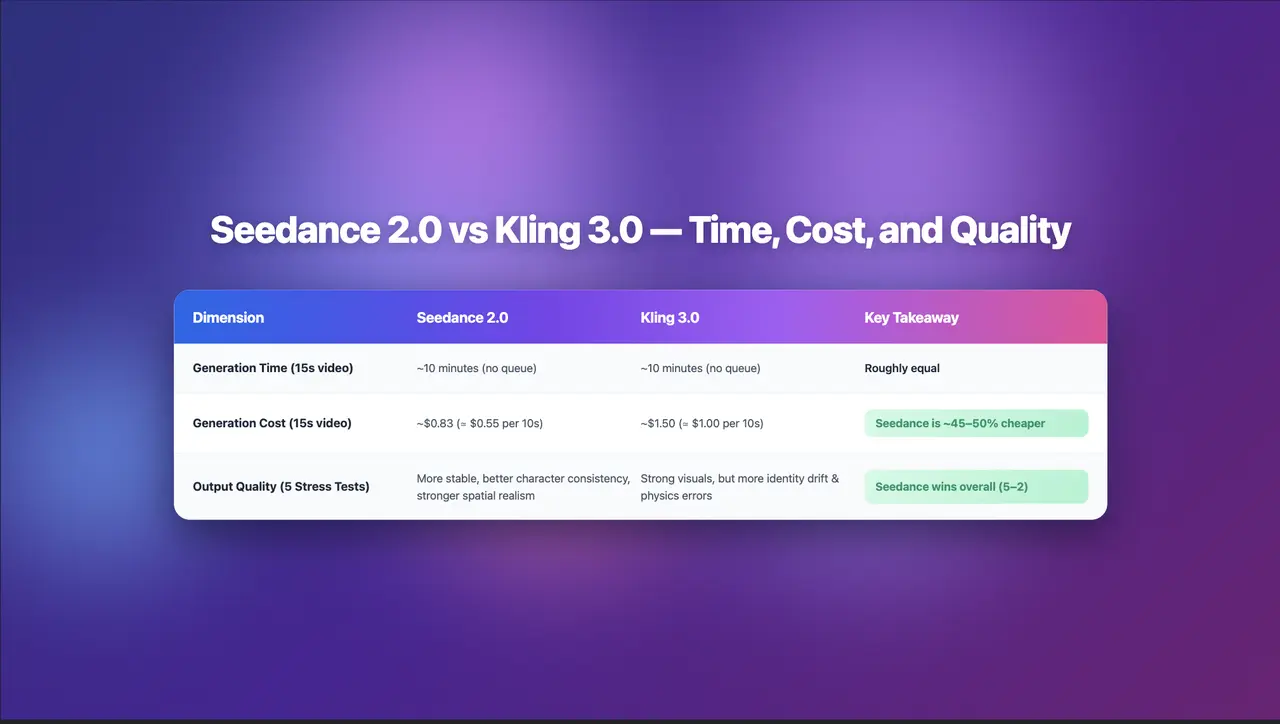
Seedance 2.0 Review: Stress-Testing Character Consistency Across 5 Extreme AI Video Scenarios
Seedance 2.0 recently launched a low-key update claiming to solve multi-angle continuity, smooth transitions, and consistent characters. To see whether it lives up to the hype, I ran five extreme stress tests, using the same prompts across Seedance 2.0 and Kling 3.0.
By Victoria 一 Jul 28, 2025- AI Video
- Text-to-Video
- Image-to-Video
- seedance 2.0
- X
- Youtube
- Discord