


How to Make a Hit AI Pet Video with Earth Zoom In — Inspired by a TikTok with 7.9M Views
- AI Video
- Pet Dancing
- Pet Sing
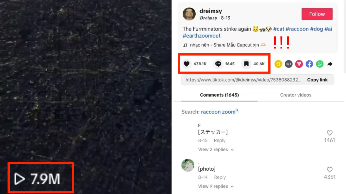
Have you ever stopped scrolling because a video made you smile—where a pet suddenly starts dancing, then breaks into a song, and finally the camera zooms dramatically in from Earth? One perfect example is this viral TikTok video by Dreimsy , which has already gained over 7.9 million views and 636,300 likes. Its mix of cuteness, music, and cinematic style shows just how powerful this trend can be.
The good news? You don’t need advanced editing skills to make something similar. With AI tools, you can create your own pet dancing and singing video with an eye-catching earth zoom in transition in just a few minutes. Here’s exactly how to do it.
Step 1: Make Your Pet Dance
1)Open the AI Video inside DreamFace.
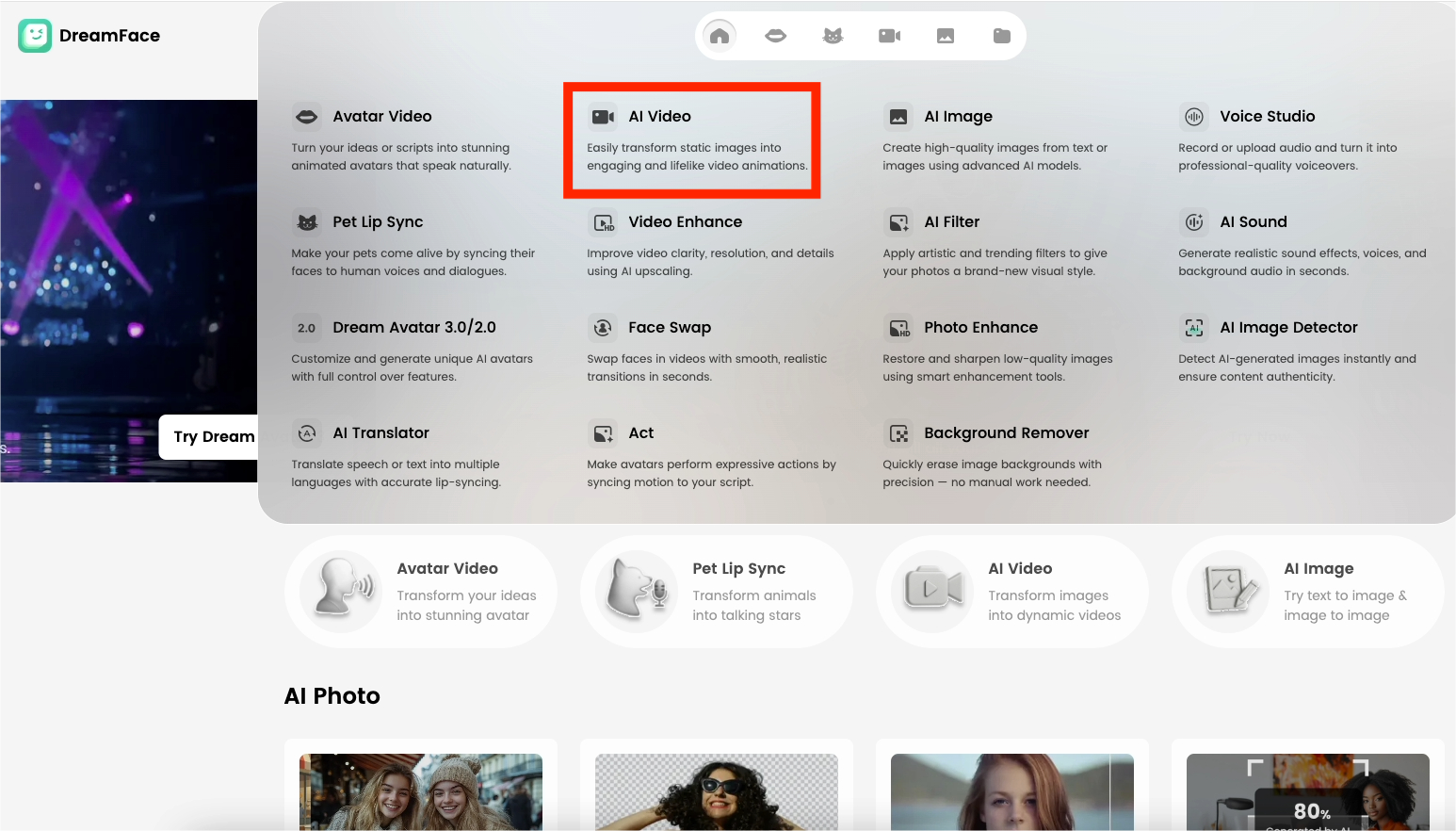
2)Choose “Pet Belly Dance.”

3)Upload your pet’s photo (cat, dog, or even a funny snapshot).

4)Click generate, then download the result.
Now you have a video where your pet is dancing—an adorable and instantly engaging way to start your clip.
Step 2: Make Your Pet Sing
1)Go back to AI Video Templates and select “Pet Lip Sync.”
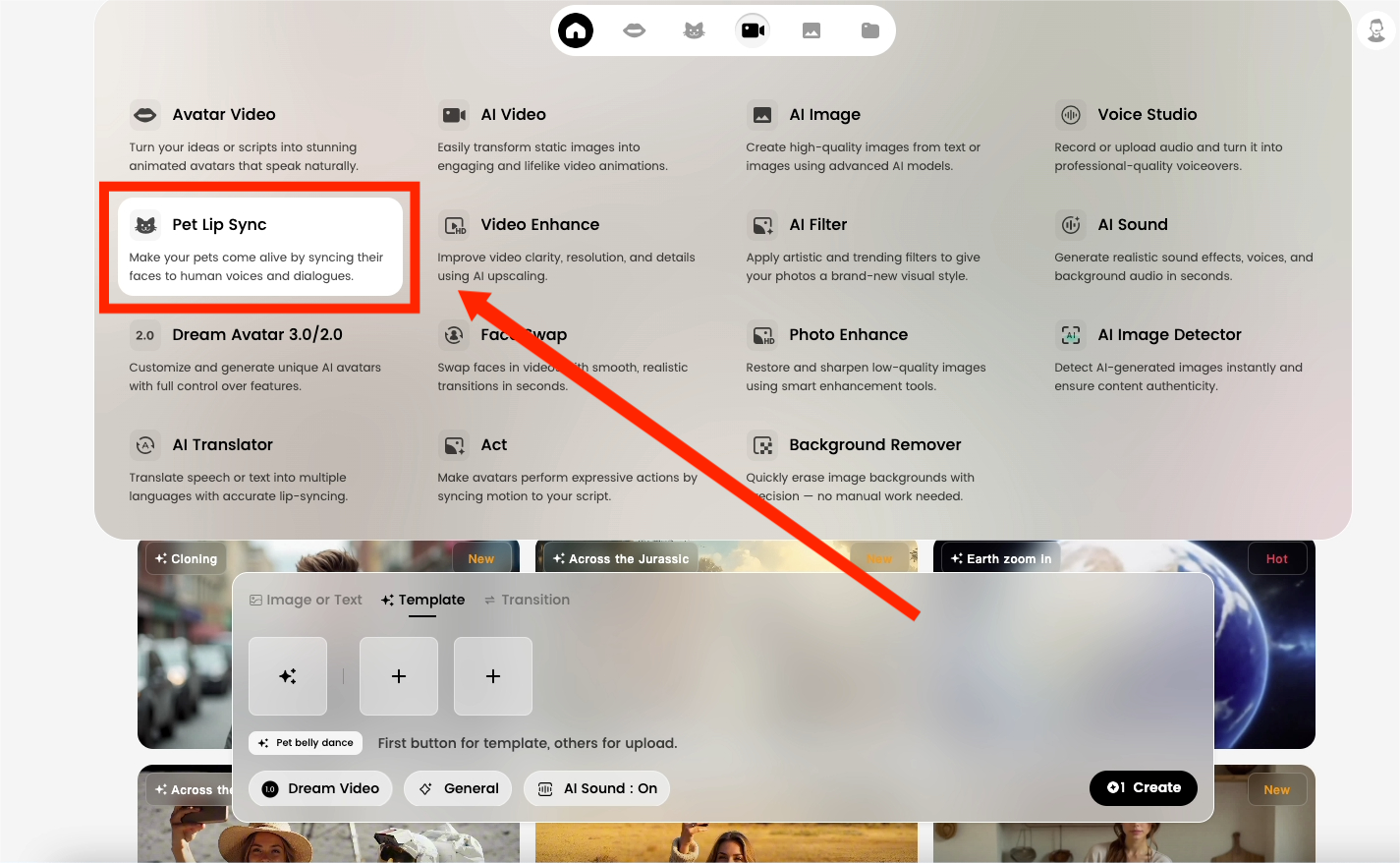
2)Upload the same photo of your pet for consistency.
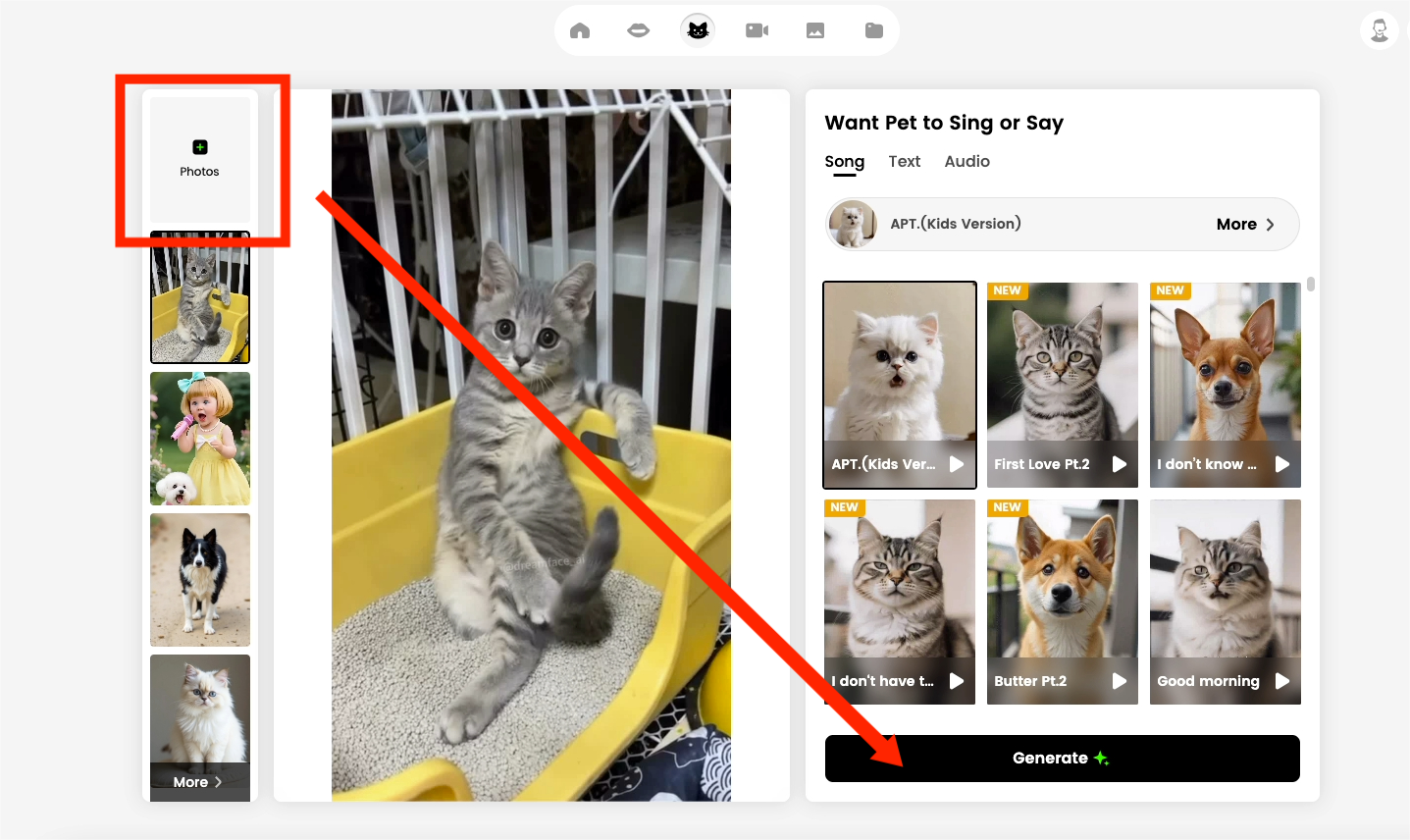
3)Add a background track or an audio clip (a song, a funny line, or even your own voice).
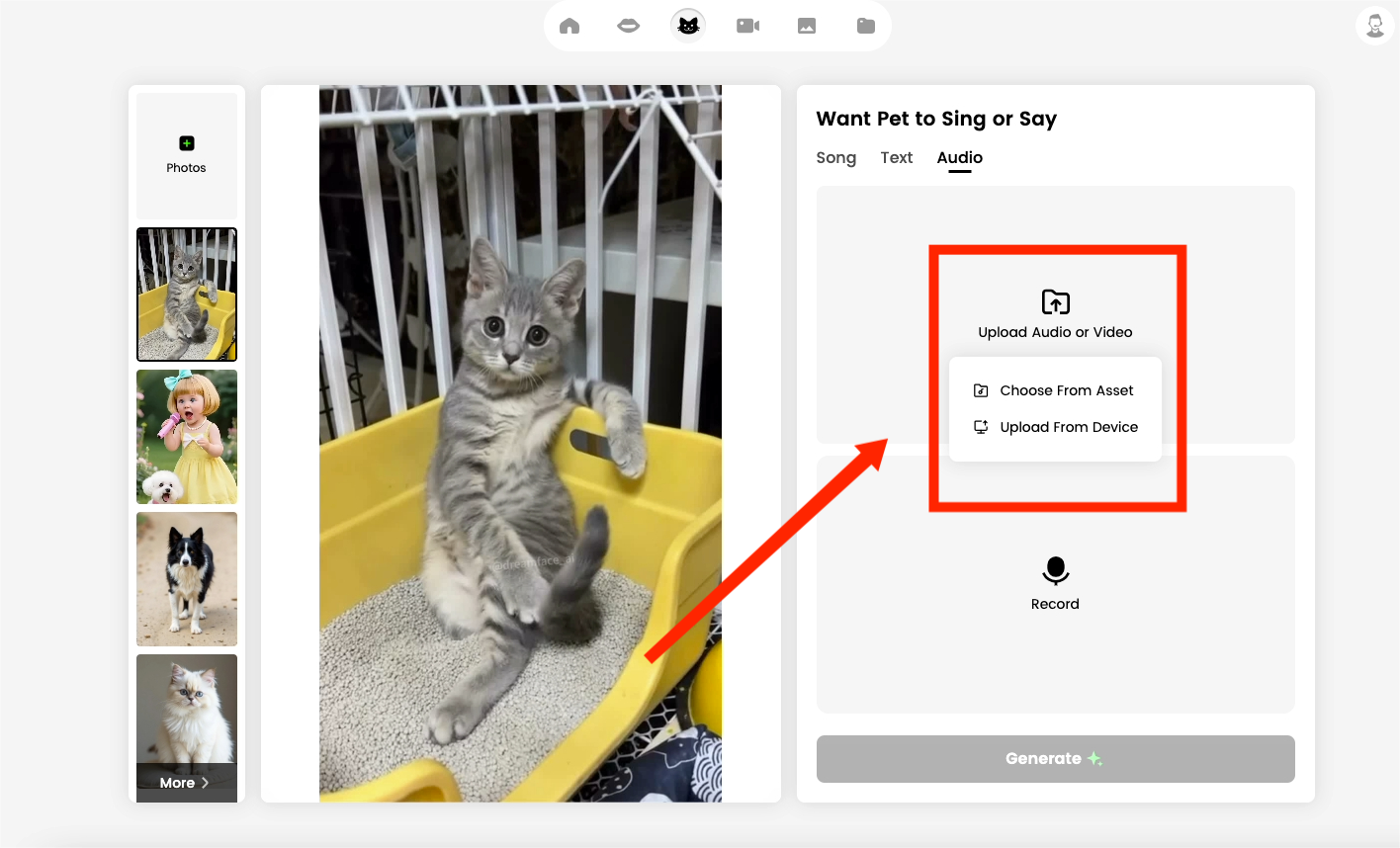
4)Generate and download the result.
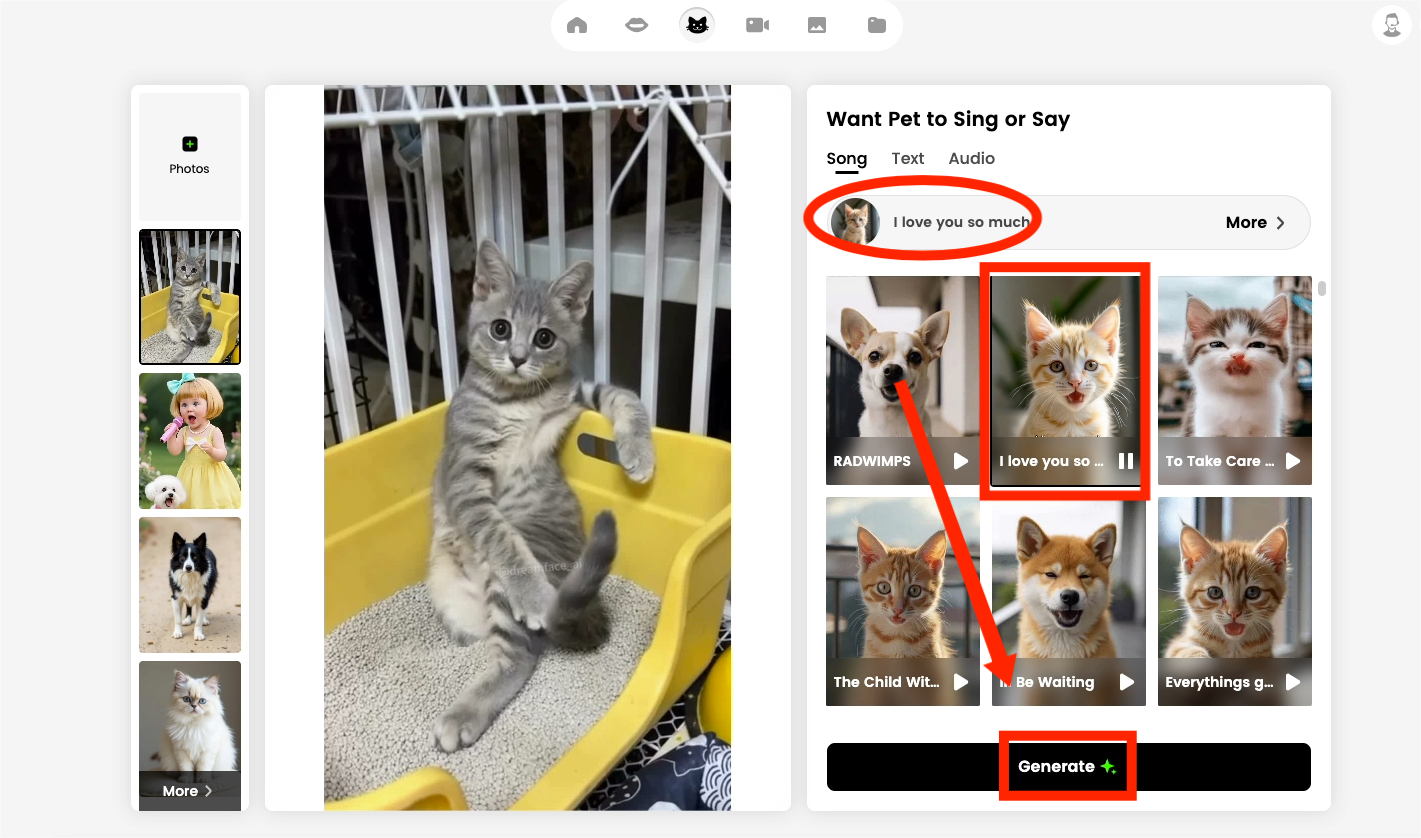
Now your pet can lip-sync to music, creating a singing effect that’s both hilarious and heartwarming.
Step 3: Add the Earth Zoom In Effect
1)Open AI Video Templates again and select “Earth Zoom In.”
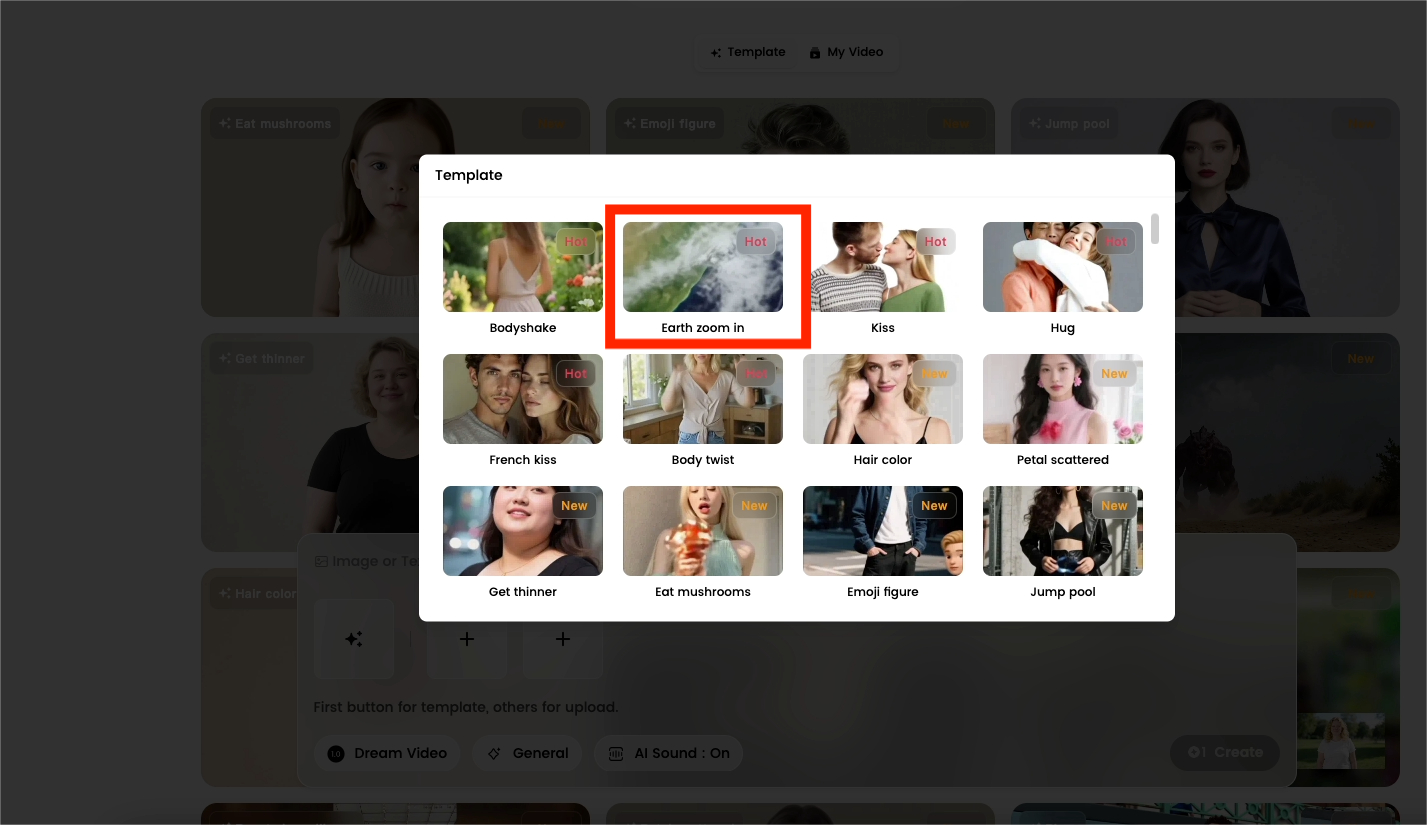
2)Upload the merged photo from Step 2.
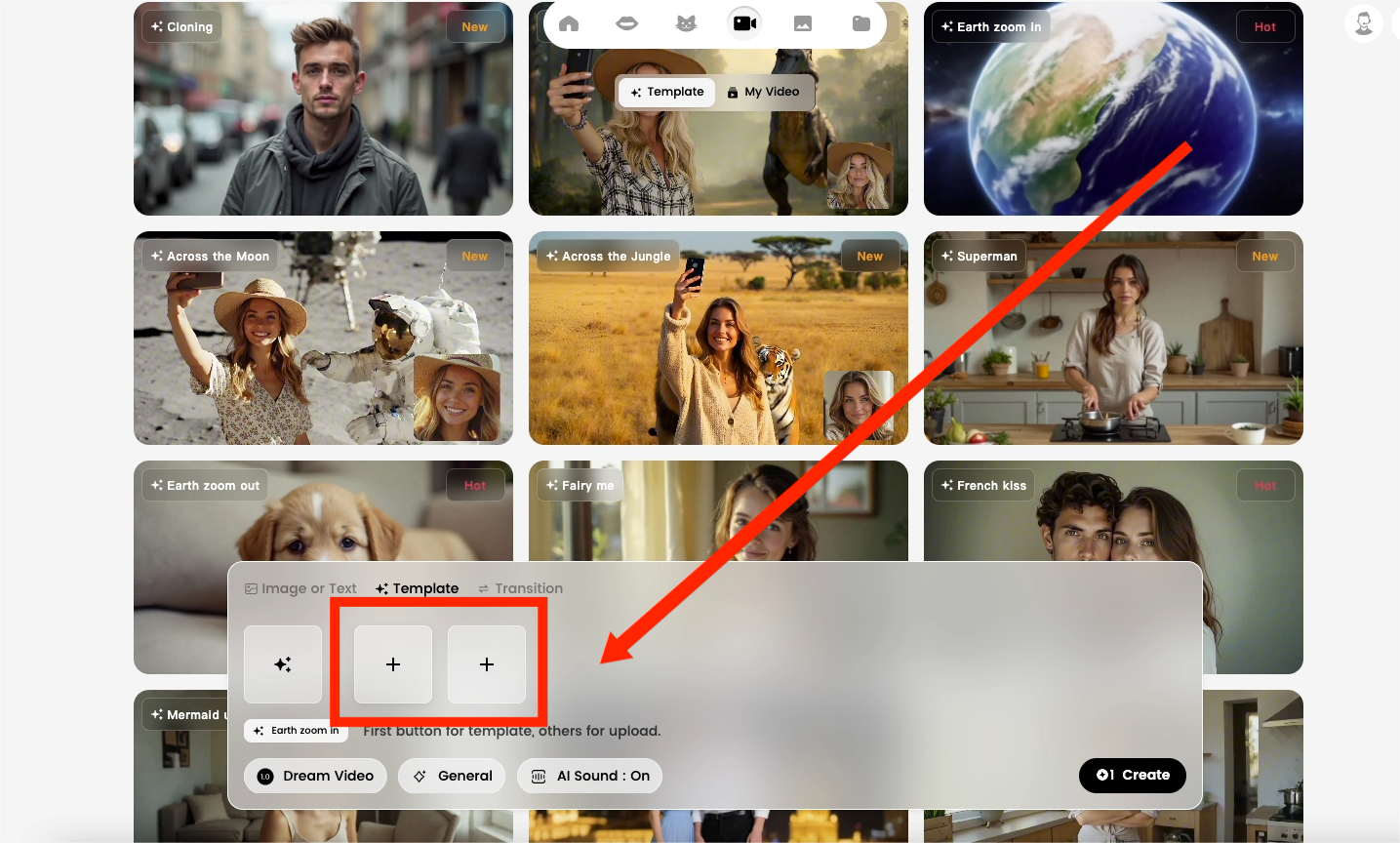
3)Click generate and download the final result.
Your finished video will begin with a cinematic zoom-in from Earth, then cut seamlessly to your pet dancing and singing. This dramatic transition gives your content a professional feel and makes it stand out on TikTok, Instagram, and YouTube.
Final Thoughts
With just three steps, you can turn a single pet photo into a viral-ready video:
- Pet Dancing → adorable and funny.
- Pet Singing → engaging and entertaining.
- Earth Zoom In → cinematic and unforgettable.
Whether you’re aiming to entertain your friends, grow your social media following, or simply experiment with AI creativity, this workflow makes it easy.
Try it today and let your pet shine as the star of the next viral trend!
How to Create a Baby Angel AI Singing Video
A baby angel AI singing video is created by animating a photo with AI-powered lip sync and gentle singing audio. To create this type of video, users upload a clear image, add a soft vocal track, and generate facial animation that matches pitch and rhythm. Angel-themed AI singing videos are popular on platforms like Facebook Reels because their calm, emotional visuals encourage replays and sharing.
By laaaara 一 Aug 24, 2025- Photo Animation
- AI Video
- Avatar Video
How to Create a Viral AI Singing Avatar Video
An AI singing avatar video is created by animating a photo with AI-powered lip sync and singing voice generation. To create a viral AI singing avatar video, users upload a clear image, add a singing audio source, and generate facial animation that matches pitch and rhythm. This type of content has become especially popular on social platforms like Facebook Reels, where expressive and unexpected visuals drive engagement.
By laaaara 一 Aug 24, 2025- Photo Animation
- AI Video
- Avatar Video
How to Create an AI Avatar and Clone Myself
Creating an AI avatar and cloning yourself means generating a digital version of your face and voice that can speak and appear in videos using AI. To create an AI avatar, users typically upload a clear photo, add text or a short voice sample, and generate a talking avatar with synchronized lip movement and facial expressions. In 2026, AI avatars are widely used for content creation, personal branding, and social media — similar to how games like NBA 2K allow players to scan their faces and create digital identities.
By laaaara 一 Aug 24, 2025- AI Video
- Avatar Video
- NBA
- Image-to-Video
- X
- Youtube
- Discord