


How to Create a hilarious Avatar Video with 704.2K Views?
- AI Video
- AI Video Generator
- Avatar Video
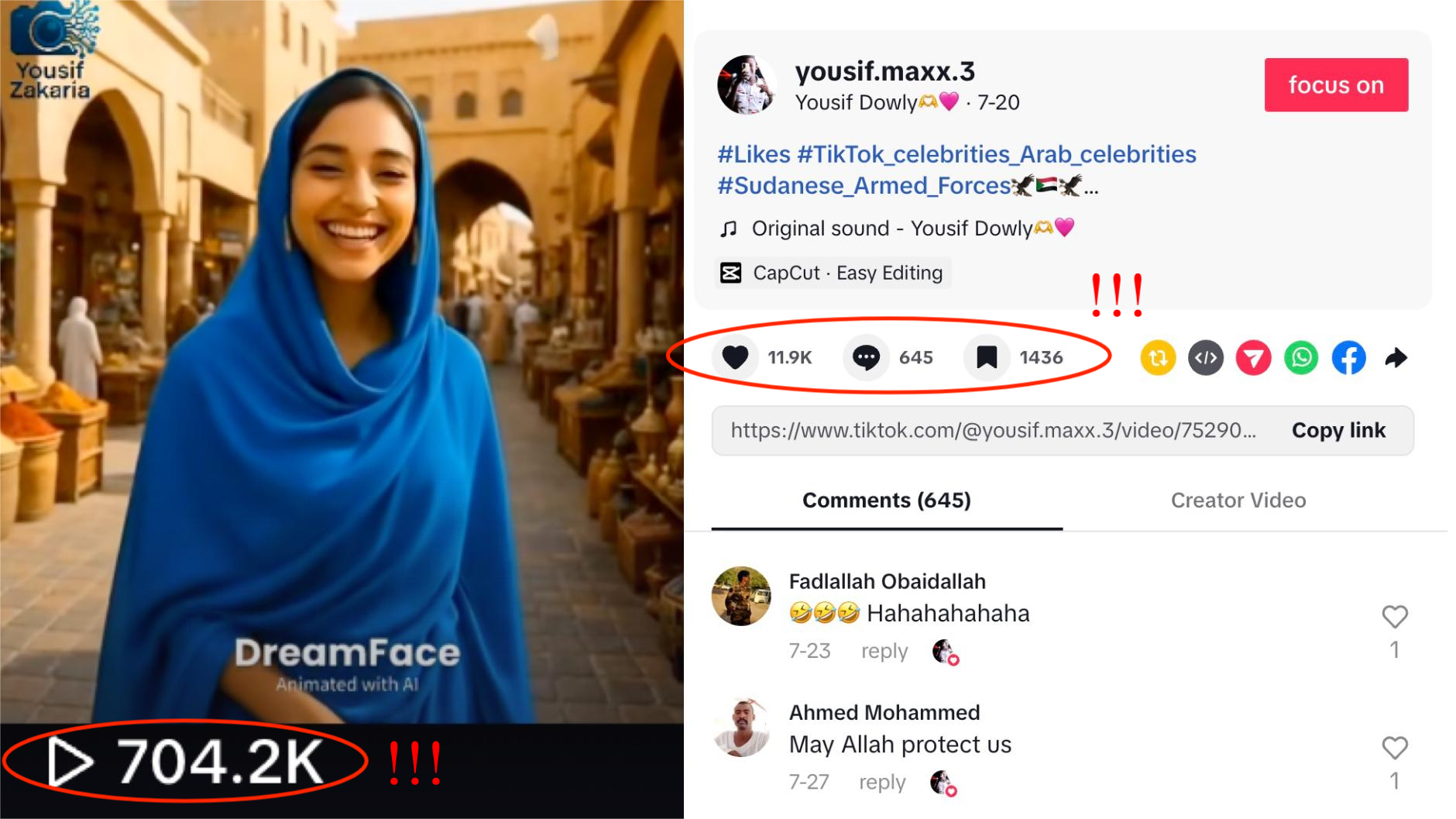
Imagine a stunning blue Arabic woman, her lips gently moving in perfect sync with the words she murmurs, delivering something so funny it’ll leave you laughing out loud. Now, picture her in an AI-powered avatar video, where every expression and movement is precisely timed to a quirky, funny line, creating a captivating, viral moment.
It’s happening right now—and it's taking the internet by storm!
One such video recently amassed over 704.2K views and 11.9K likes on TikTok 💥, and it's the latest sensation that's capturing hearts across social media 🌟.
In this tutorial, we'll show you how to create your very own AI avatar video featuring characters with synchronized lip movements, ready to entertain and captivate your audience. Follow these easy steps to create a video that could be your next viral hit:
Step 1: Choose the Avatar 3.0/2.0 in Dreamface
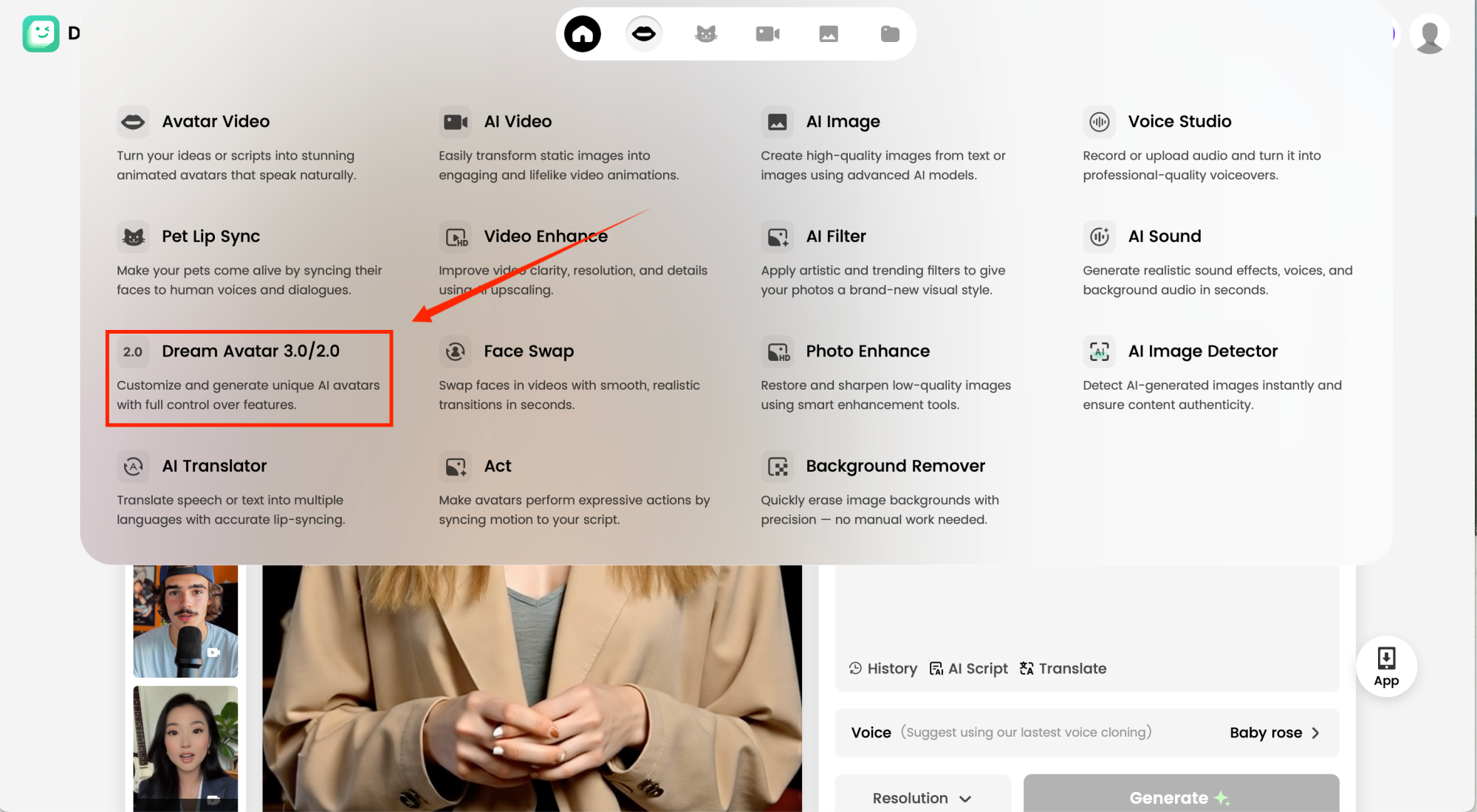
Start by selecting Dreamface's Avatar tool . This is the feature that lets you animate your images and make them come to life in a video. Once you're in the Avatar section, you'll be ready to move on to the next step!
Step 2: Add Your Image
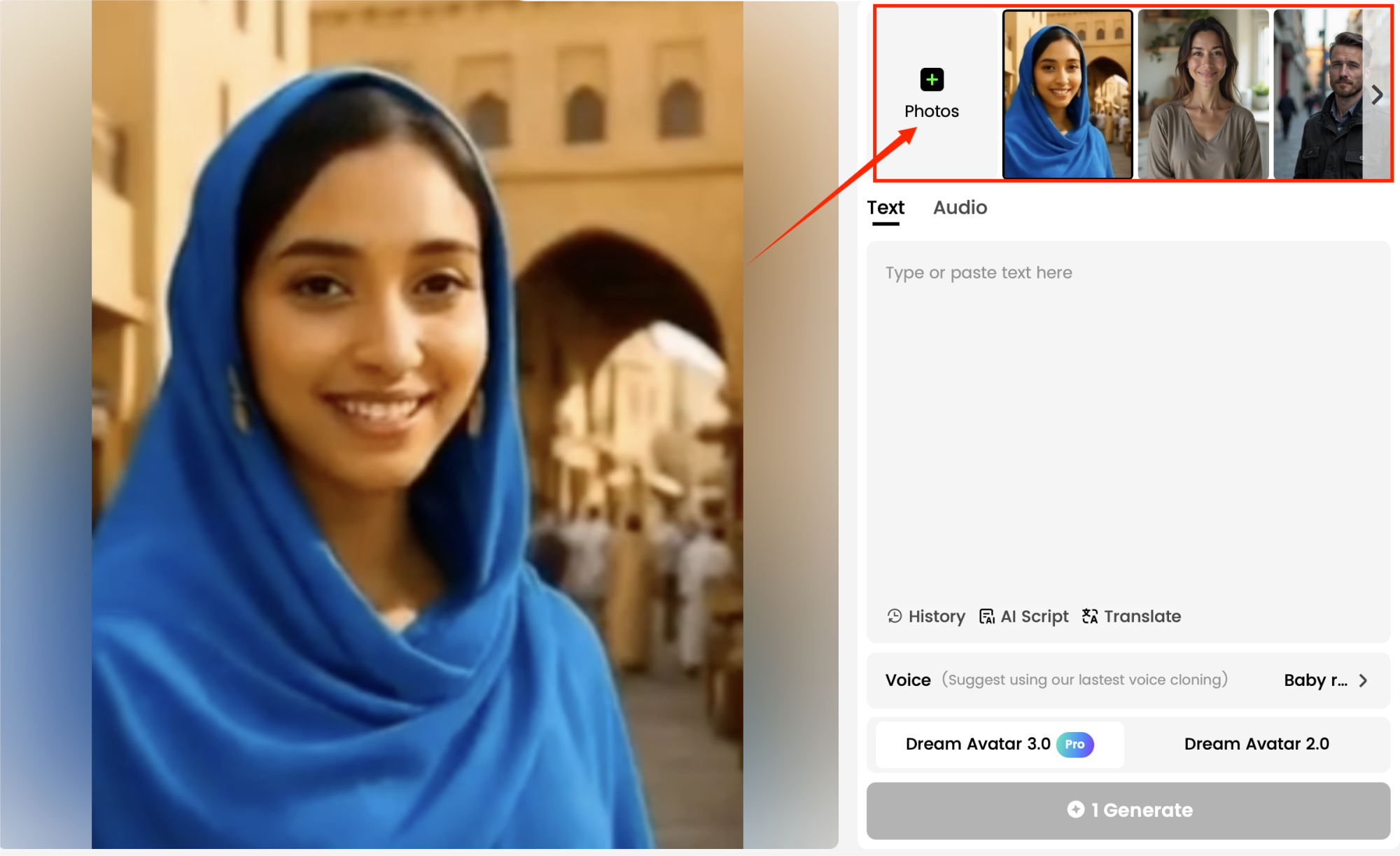
To create your avatar video, you’ll need to upload a clear image of the baby you want to feature in the video. Dreamface allows you to either:
- Upload Your Own Image: Choose a high-quality portrait or photo of the character you want to animate. Make sure the face is well-lit and visible.
- Generate a Custom Avatar: Alternatively, you can generate an entirely new avatar using Dream Image.
Once you upload the image, Dreamface will prepare it for animation.
Step 3: Upload Audio or Video Material
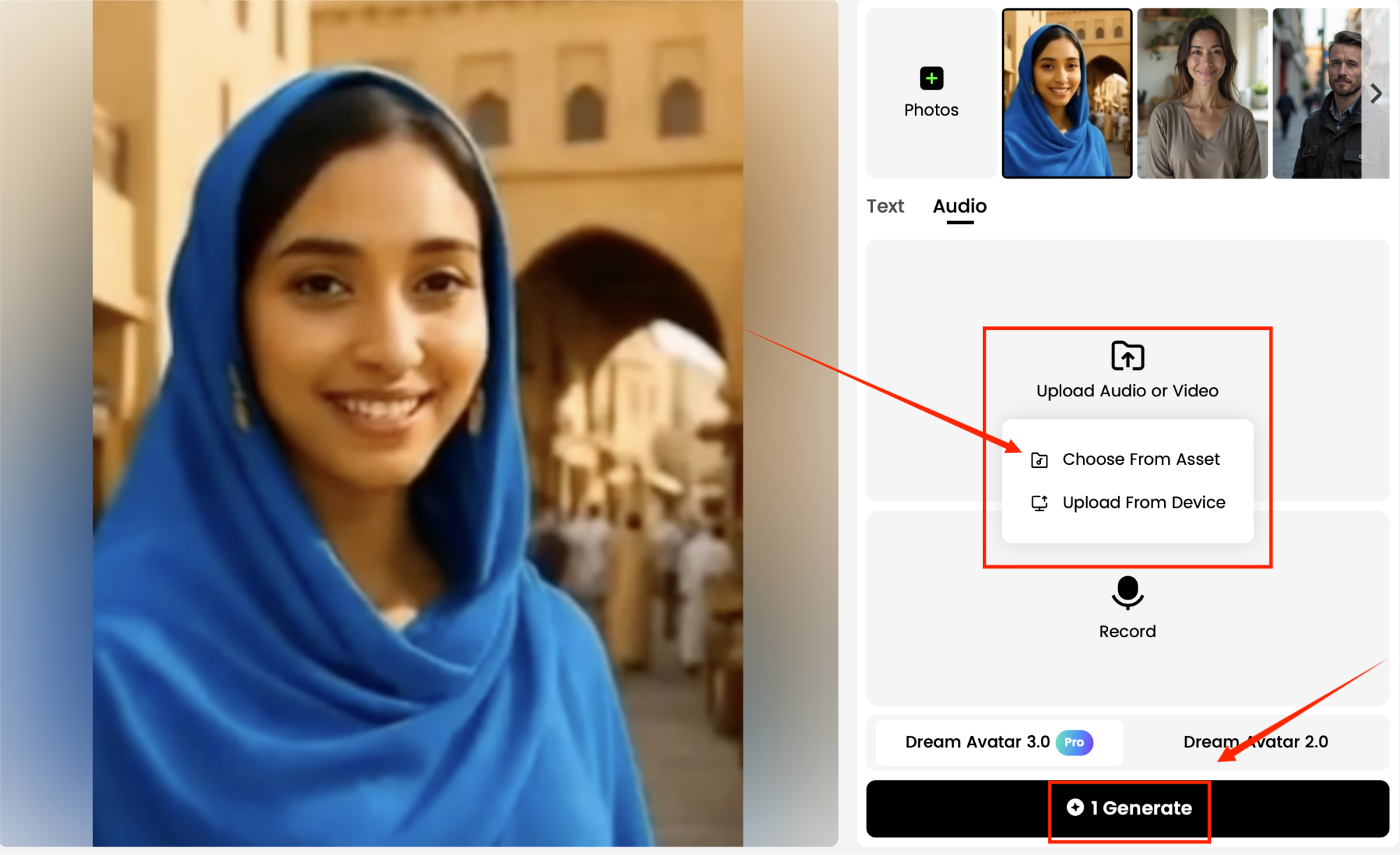
Next, you’ll need to upload your audio or video content. You can upload your own audio by choosing the track you want the avatar to lip sync with.
Dreamface’s AI will sync the lip movements of the avatar to the audio, creating a lifelike singing performance.
Step 4: Generate and Watch the Results
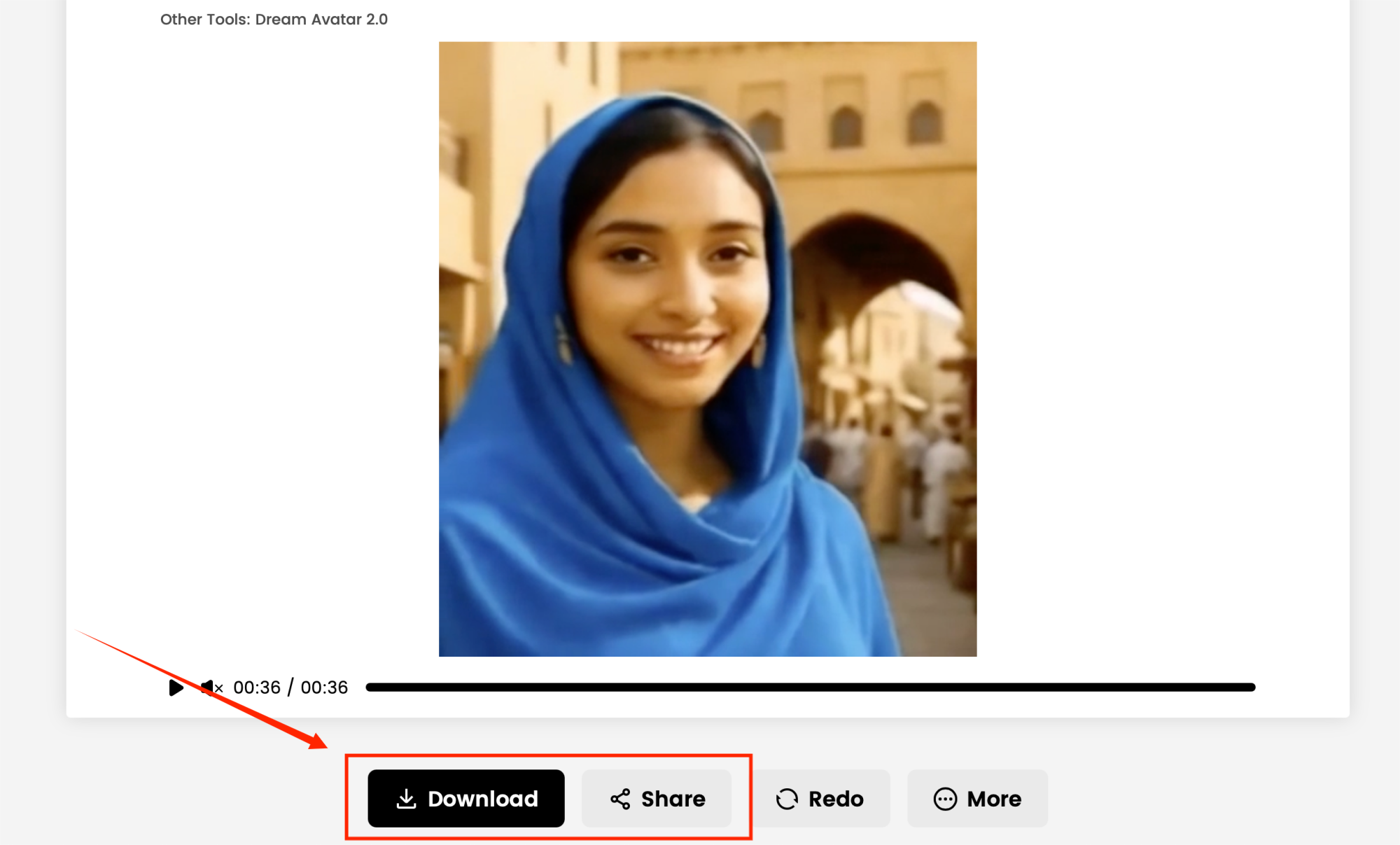
Once everything is set, simply hit the Generate button. Dreamface will process the video, and after a few moments, you’ll be able to preview and download your own creative realistic avatar video.
You can download the video in different formats and share it on your favorite social media platforms like TikTok, Instagram, or YouTube.
Creating stunning, hilarious avatar videos with Dreamface has never been this easy. Whether you're a content creator or just having fun, Dreamface's Avatar feature is the perfect tool to help you create videos that will capture everyone's attention. 🎉 Ready to make your next viral sensation? Start now ! 🔥🎥

15 Seconds from Images to Talking Avatars: How DreamFace Powers Next-Gen Creativity
Sep 10, 2025
Bringing Avatars to Life: How PixVerse V5 and DreamFace Avatar Video Transform AI Storytelling
Sep 11, 2025
How to Create a 3D Figure from a Photo with Nano Banana
Sep 08, 2025
How to Use Google Nano Banana: Revolutionizing Your Photo Editing Experience
Sep 07, 2025
15 Seconds from Images to Talking Avatars: How DreamFace Powers Next-Gen Creativity
At DreamFace, we believe that creativity should be fast, powerful, and fun. That’s why we’ve combined the strengths of Dream Video 1.5 and Avatar Video into a seamless workflow that lets anyone transform static ideas into dynamic, speaking AI videos.
By William 一 Aug 12, 2025- AI Video
- Talking Avatar
Bringing Avatars to Life: How PixVerse V5 and DreamFace Avatar Video Transform AI Storytelling
With PixVerse V5 handling the cinematic video generation and Dream Avatar 3.0 breathing life into characters, the future of AI video creation looks not just innovative—but truly alive.
By William 一 Aug 12, 2025- AI Video
- Avatar Video
Dreamface AI Video: Transform Text & Images into Viral Videos — Here's How It’s Done
Whether you're a content creator chasing virality or a marketer exploring fresh media formats, Dreamface’s AI Video is intuitive, fast, and astonishingly powerful.
By William 一 Aug 12, 2025- AI Video
- Text-to-Video
- Image-to-Video
- X
- Youtube
- Discord