


How to Make a Hit AI "God Blessing" Video with 1.2M Views and 290K Likes?
- AI Video
- Lip-Sync Video
- Avatar Video

Have you ever scrolled through social media and stopped at one of those stunning "God Blessing" videos? In them, a divine and solemn figure begins to speak, their lip movements perfectly synchronized with the audio, delivering a visual and spiritual impact that feels like a miracle. This isn't an out-of-reach special effect; it's AI magic that anyone can master!
This trend is sweeping the globe! For example, this
TikTok video
posted by user jhonihtpied has already attracted over 1.2 million views and 290,000 likes, and the numbers continue to grow. Now, it's your turn to lead the trend and create something equally, or even more, captivating.
This guide will teach you, step-by-step, how to use the Dreamface app to easily create an AI avatar video with perfect lip-sync. Follow these six simple steps and get ready to welcome your next viral hit!
Step 1: Conceive and Generate an AI Image
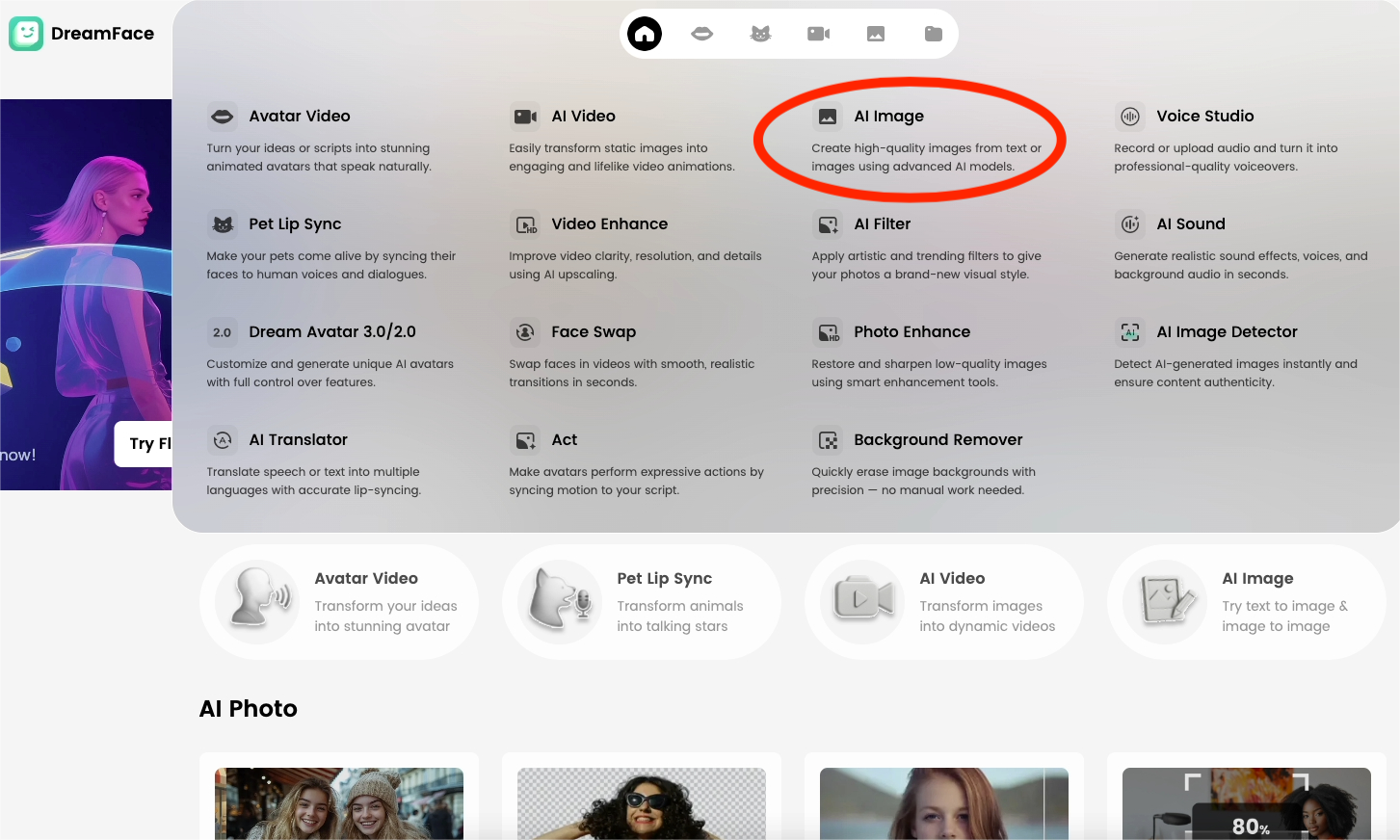
Everything begins with a powerful image. First, use the app's AI image generation feature. You can create the foundational image of the sacred, majestic, or benevolent character in your mind by either typing detailed text descriptions (prompts) or uploading a reference picture.
Step 2: Select an AI Model and Input Prompts
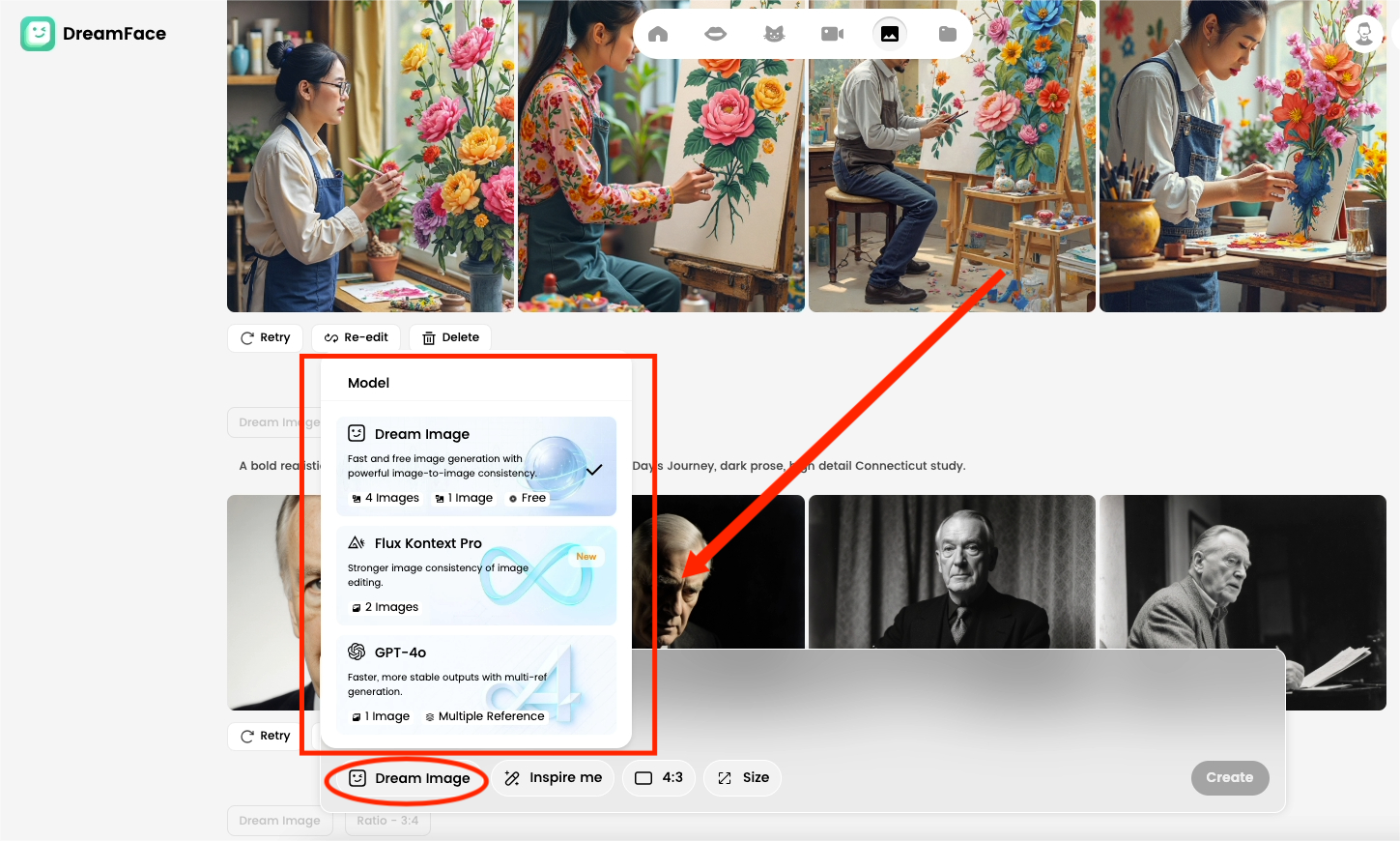
Choose an AI model you like within Dreamface. Then, input more specific and imaginative prompts to optimize your character. Whether it's a "radiant saint," a "guardian of the stars," or an "ancient god of wisdom," the more precise your description, the more vivid and charismatic your generated avatar will be.
Step 3: Activate the Dream Avatar Animation Feature
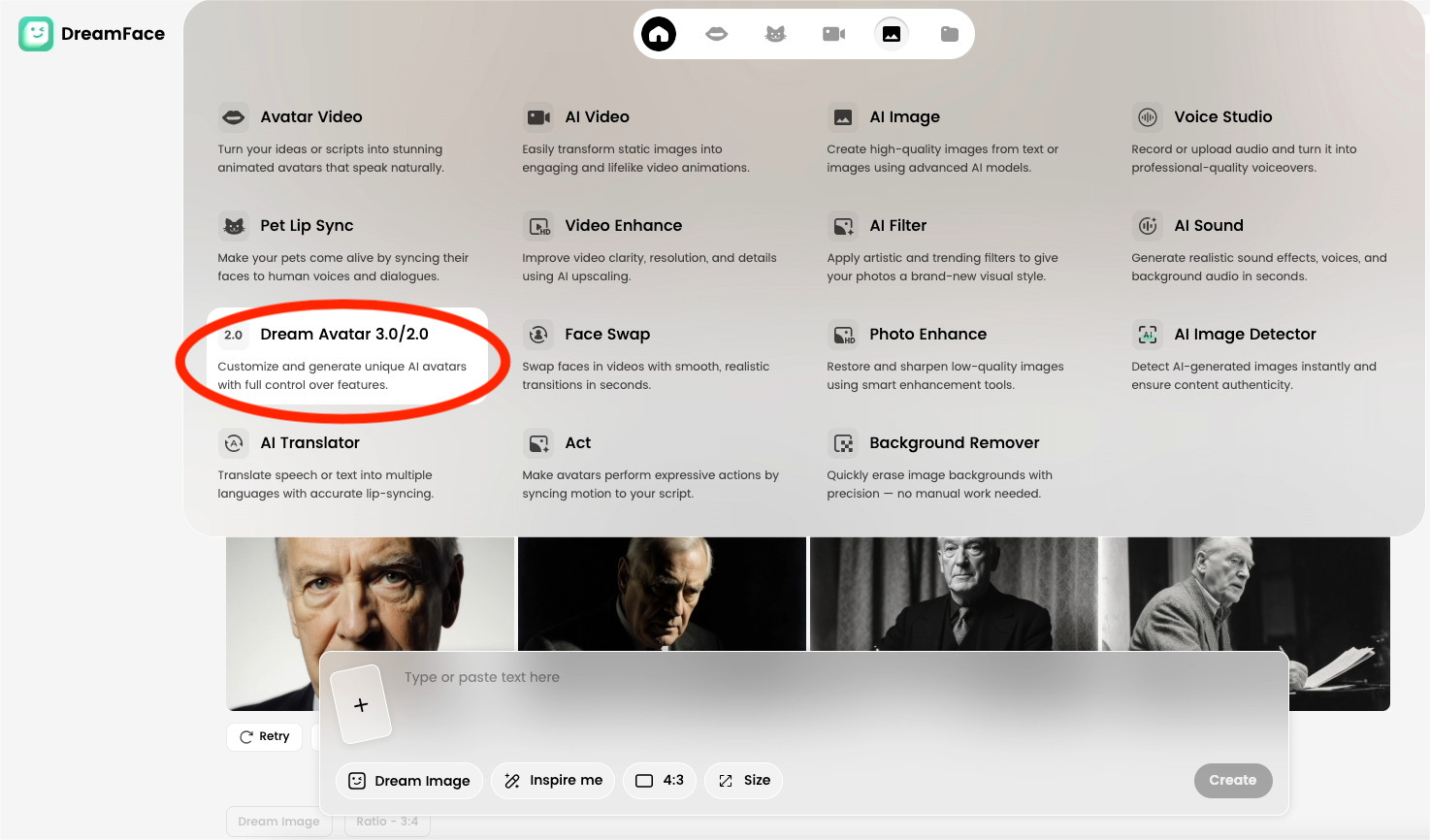
Next, switch over to the Dream Avatar feature. This is the key step where the "magic" happens, transforming your static image into a dynamic model ready to be brought to life.
Step 4: Upload Your Generated Image
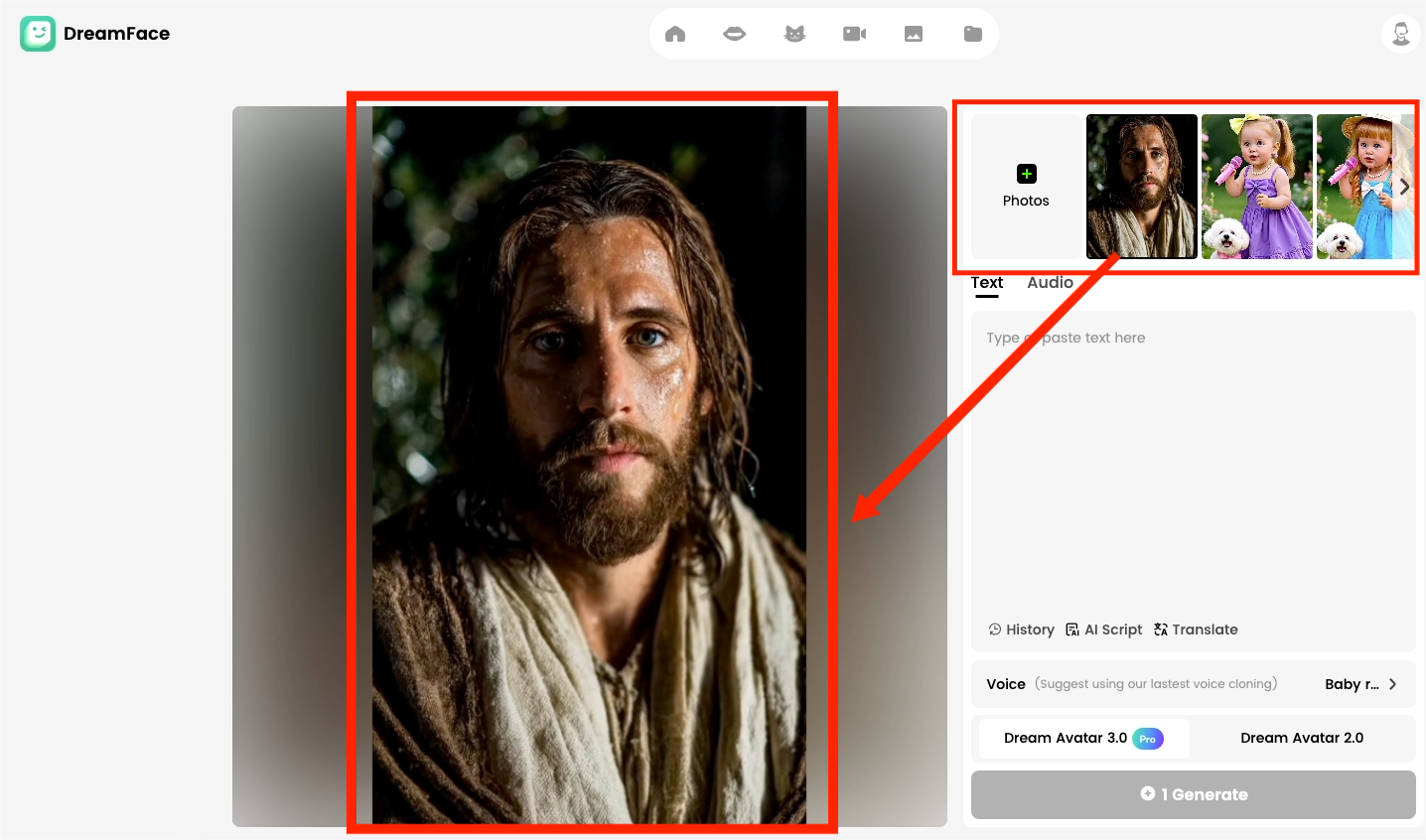
Upload the AI image you meticulously created in the first two steps into the Dream Avatar feature. This image will serve as the "face" of your dynamic avatar, preparing it for the upcoming lip-syncing and facial animations.
Step 5: Add Audio or Video Material
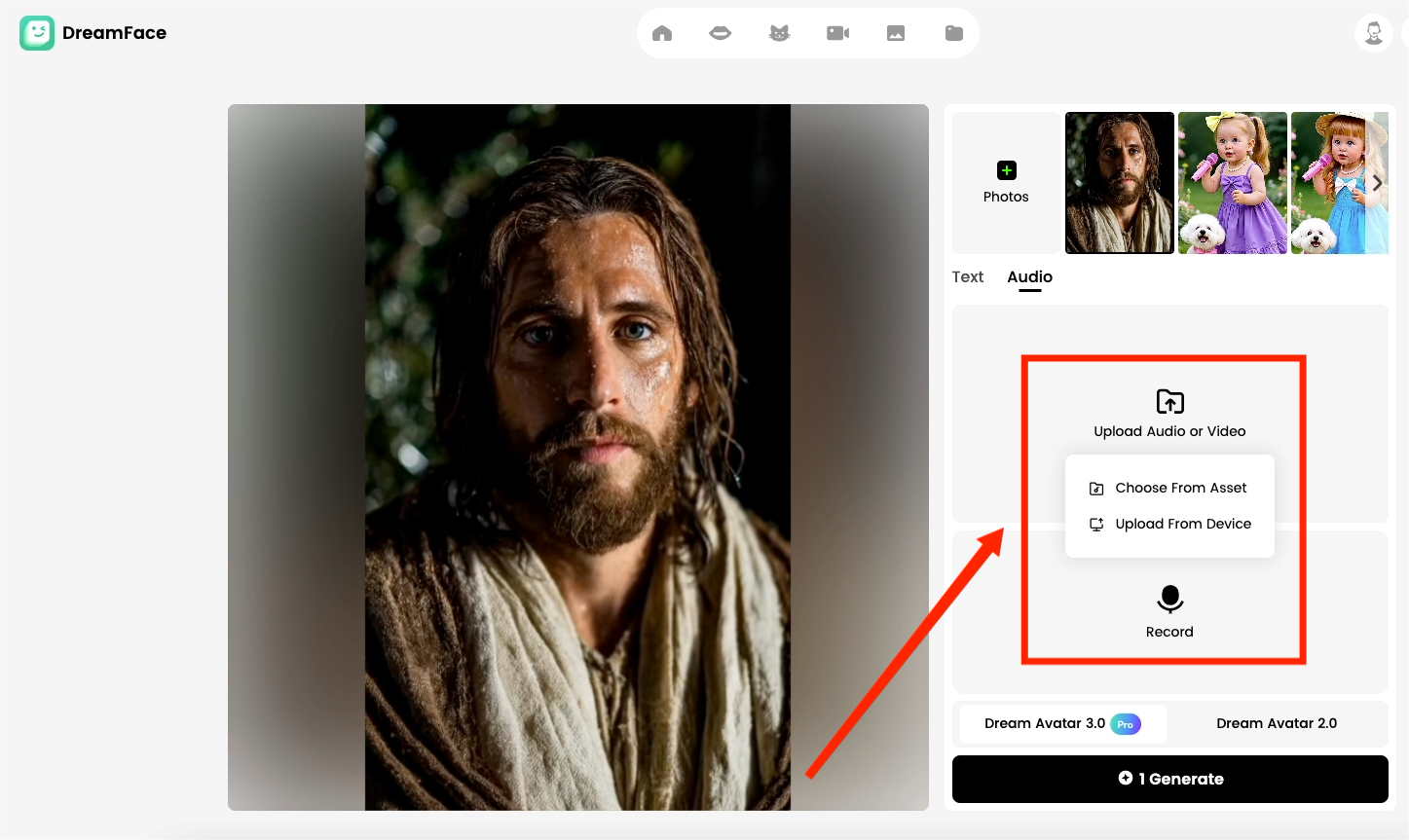
Now, it's time to give your character a voice. Upload an audio clip you have prepared—it could be a blessing, a prayer, an inspiring monologue, or any message you wish to convey. Dreamface's powerful AI will analyze the audio and precisely sync your character's lip movements to it, achieving a realistic speaking effect.
Step 6: Generate and Share Your Masterpiece
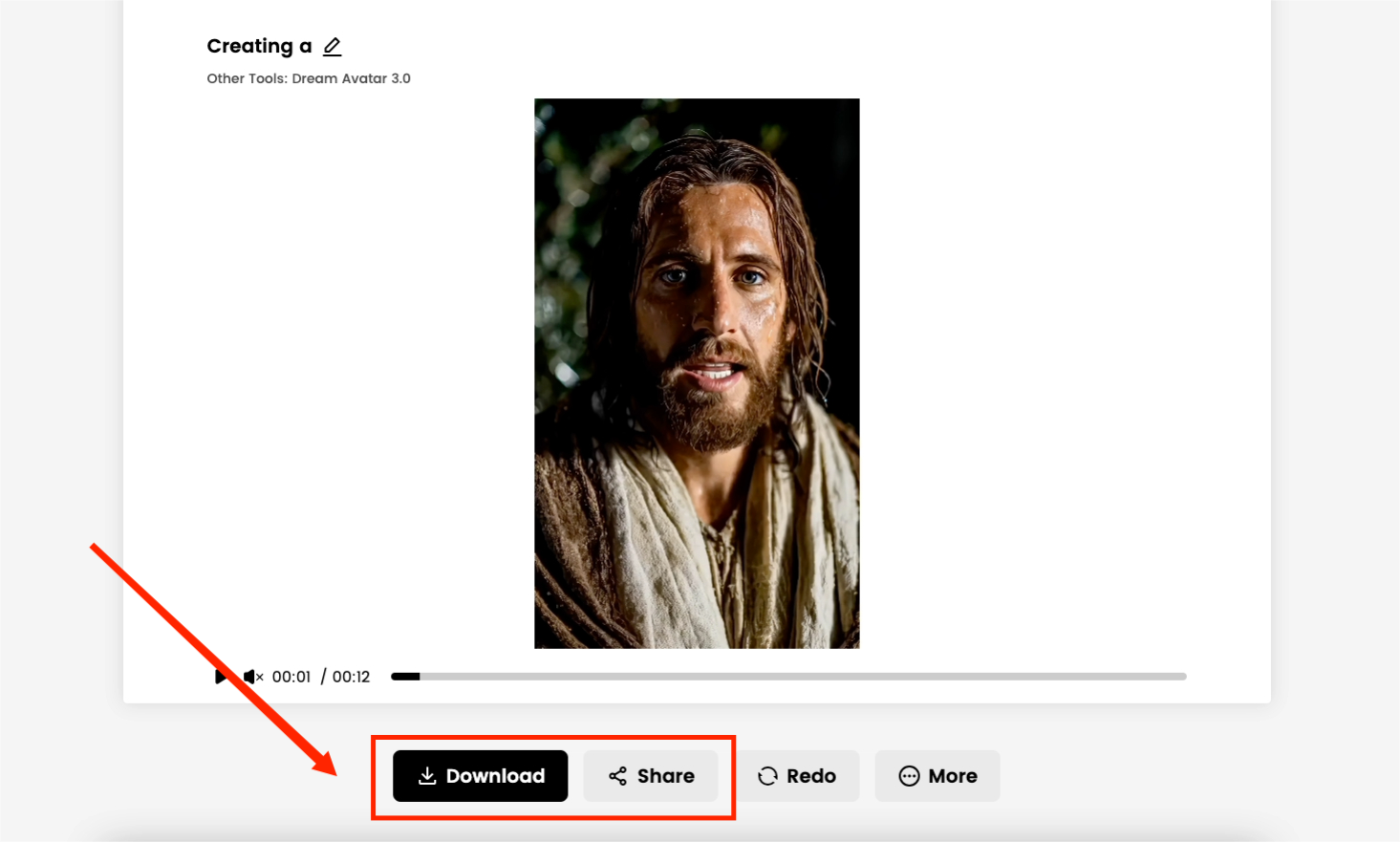
Finally, click the "Generate" button and wait a moment to witness the birth of a miracle. You will be able to preview your "God Blessing" AI video. Download it, then share it on platforms like TikTok, Instagram, and YouTube, and get ready to receive the awe and praise of your audience!
✨ Final Thoughts
With
Dreamface
, creating a breathtaking "God Blessing" AI video has never been easier. You are not just making a piece of content; you are crafting an extraordinary visual experience that can touch people's hearts. Whether you are aiming for viral fame, artistic expression, or a novel way of storytelling, these six steps open the door to limitless creativity.
Are you ready to let the divine figure you've created shine? Start making your "God Blessing" AI video today and stun the world with the power of technology!
How to Use Nano Banana Pro’s New Features: A Practical Guide With Real Examples
Nov 24, 2025
Nano Banana Pro: The Most Complete Guide to Its New Capabilities and How to Use Them
Nov 24, 2025
Nano Banana Pro: The “Nuclear Upgrade” Redefining AI Image Generation
Nov 21, 2025
Unlock Your Creativity with Illustrious SDXL: The Next-Gen AI Art Model for Anime Illustrations
Nov 11, 2025
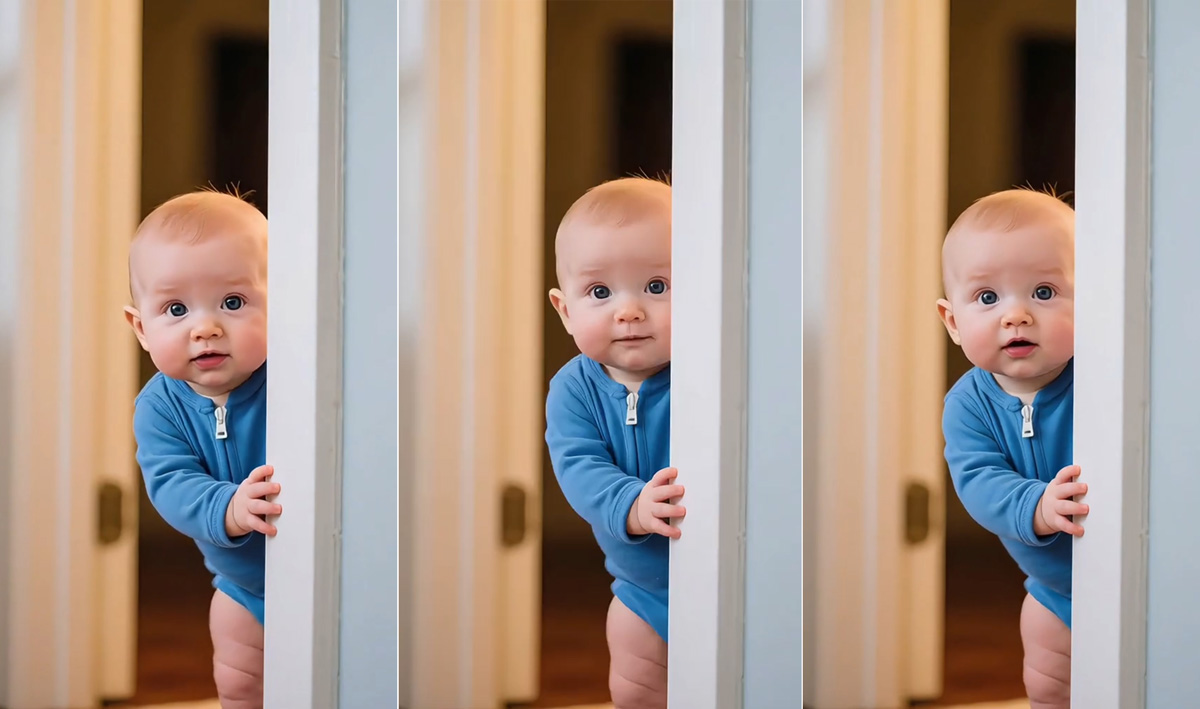
How to Create a Viral “AI Baby Calling Dad” Video on TikTok
If you’ve spent any time on TikTok lately, you might have seen one of the most heart-melting viral clips — an AI-generated baby peeking shyly from behind a door, softly saying “daddy” in different tones. With over 105K likes and thousands of comments, this short video has taken the internet by storm.
By Jack 一 Aug 18, 2025- AI Video
- AI Baby
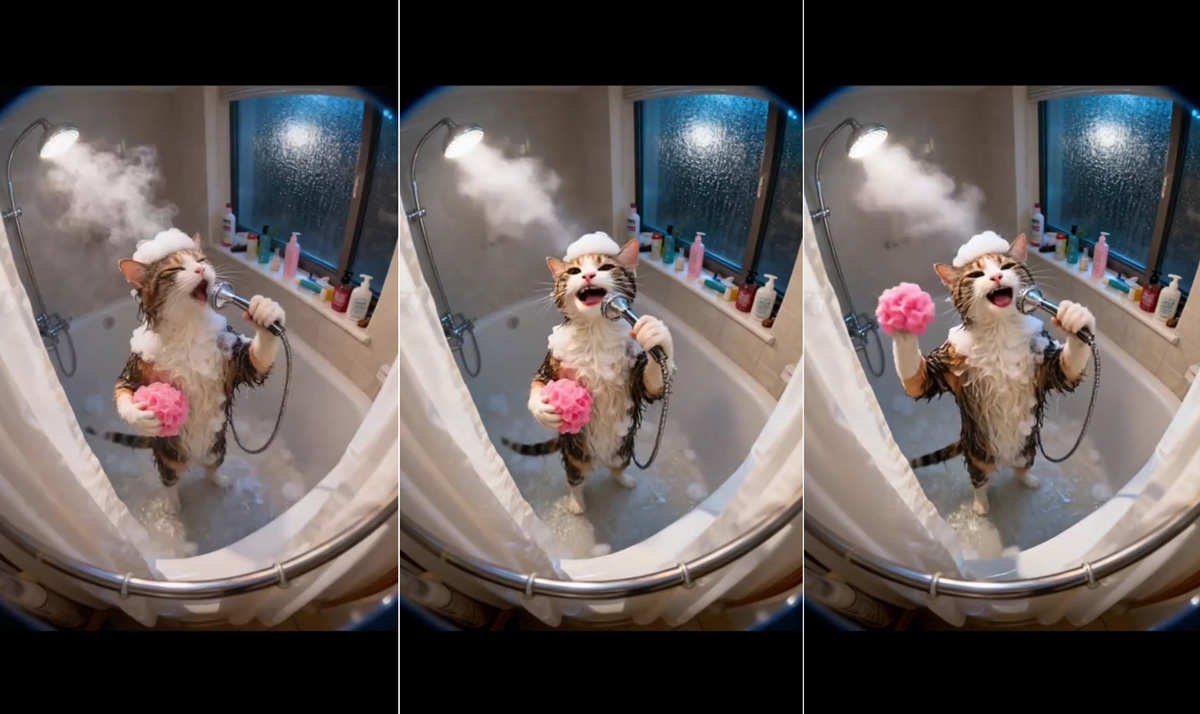
How to Create a Viral AI Video Like the Singing Cat on TikTok
If you've been scrolling through TikTok lately, chances are you’ve come across the adorable video of a cat singing while taking a bath. With over 100K likes and thousands of comments, this short 8-second clip has captured the hearts of millions.
By Jack 一 Aug 18, 2025- AI Video
- Singing Cat

15 Seconds from Images to Talking Avatars: How DreamFace Powers Next-Gen Creativity
At DreamFace, we believe that creativity should be fast, powerful, and fun. That’s why we’ve combined the strengths of Dream Video 1.5 and Avatar Video into a seamless workflow that lets anyone transform static ideas into dynamic, speaking AI videos.
By Jack 一 Aug 18, 2025- AI Video
- Talking Avatar
- X
- Youtube
- Discord