


AI Outpainting: An Objective Comparison of GPT-4o and Dreamimage
- AI image generator
- GPT-4o Image
- Dream Image
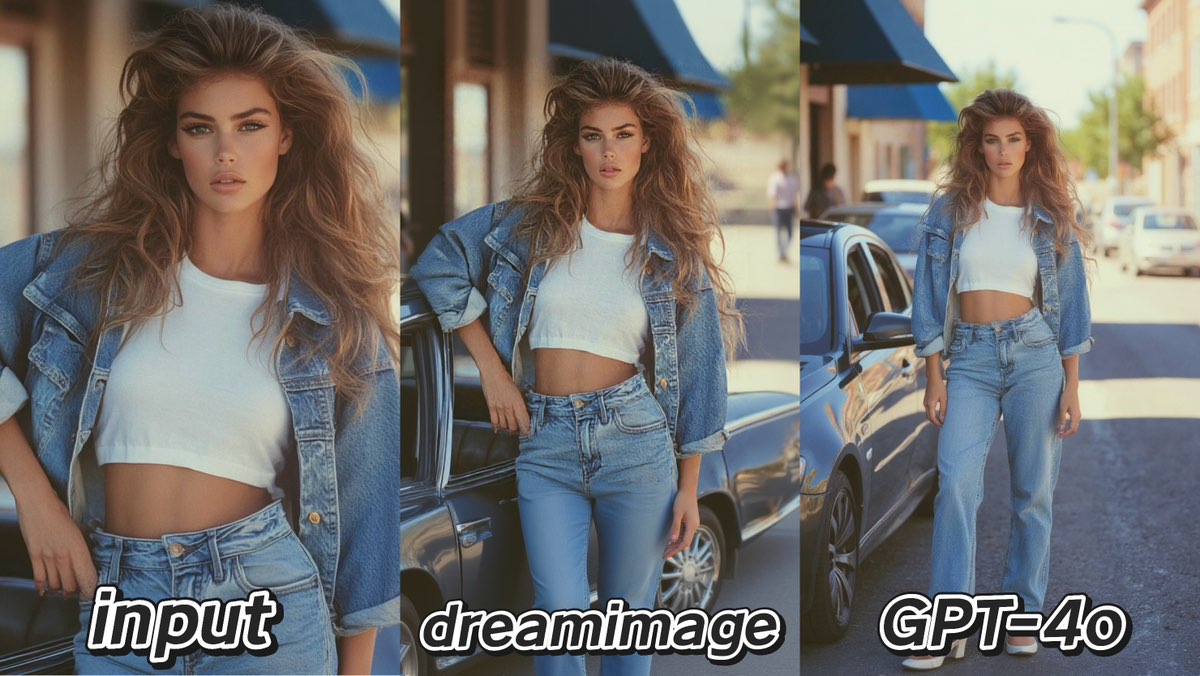
AI outpainting, or "generative fill," is a revolutionary tool that allows creators to expand an image beyond its original borders. But how well do the leading platforms handle this complex task? We put two top contenders, GPT-4o and Dreamimage, to the test in three unique outpainting challenges.
To ensure a fair review, we used the same input images and detailed prompts for both AIs. The tasks ranged from faithfully extending a scene to completely transforming it.
Test 1: Faithfully Extending a Scene
For the first test, we expanded a portrait into a full European city square.
Prompt:Extend the frame to reveal a panoramic view of a sun-drenched, bustling European city square. Add classic stone architecture, outdoor café seating, and strolling pedestrians in the background. Maintain the original photo's warm, bright, cinematic lighting and soft effect.
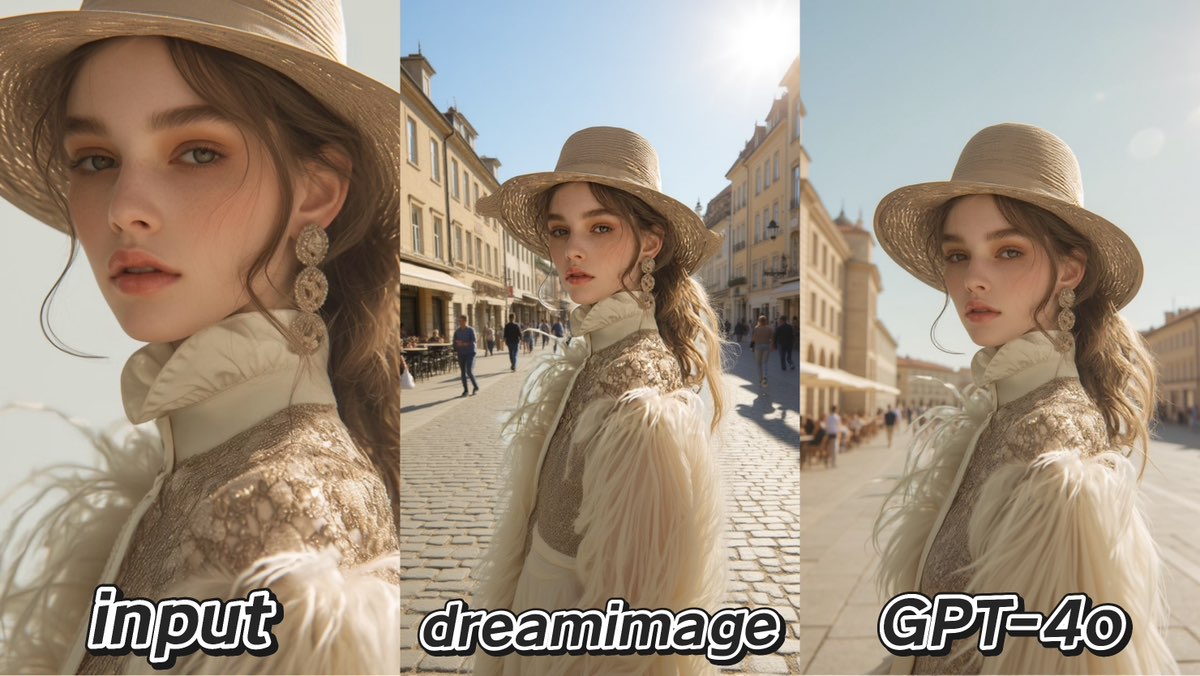
Dreamimage was more ambitious, creating a well-composed and complete city square. It succeeded in building a wider, more interesting scene, but in doing so, it lost some of the original photo's unique lighting and soft-focus atmosphere.
GPT-4o excelled at being faithful to the original. It perfectly matched the warm, cinematic lighting and soft bokeh effect, creating a seamless and believable extension. Its weakness was being slightly too conservative, extending the street rather than creating a full panoramic square.
Test 2: Creatively Transforming the Environment
Here, we tasked the AIs with moving a subject from a generic backdrop to a golden-hour garden.
Prompt:Expand the image into a full summer garden scene. Extend the blooming rose bushes and a winding gravel path around the subject. Fill the entire frame with the warm, golden hour sunlight, and enhance the hazy, dreamlike glow in the atmosphere.
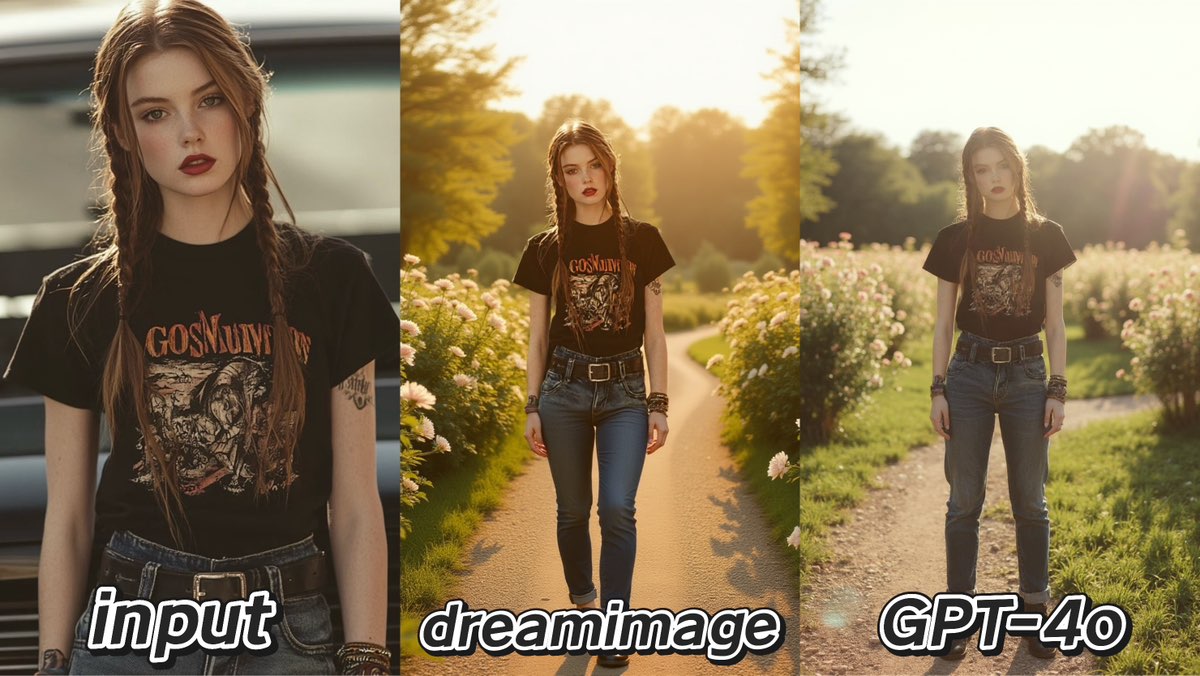
Dreamimage showcased its creative power, brilliantly generating a beautiful and compelling garden path scene from scratch. Its composition was superior, though the lighting on the subject didn't perfectly match the new, dramatic backlight.
GPT-4o focused on realism. While its garden background was less structured, it did a much better job of integrating the subject into the new golden-hour light, making the final image more believable.
Test 3: Full-Body and Object Extension
The final test involved extending a portrait to a full-body shot while filling in the surroundings.
Prompt:Extend the image to show more of her urban surroundings. Add the side and headlights of parked cars around her, a blurred view of the city street, and possibly other indistinct pedestrians in the background. Maintain the original lighting and blurred background effect to keep the focus on her. Additionally, slightly extend downwards to fully reveal the details of her denim jeans and the belt at her waist, as well as the shoes she is wearing .
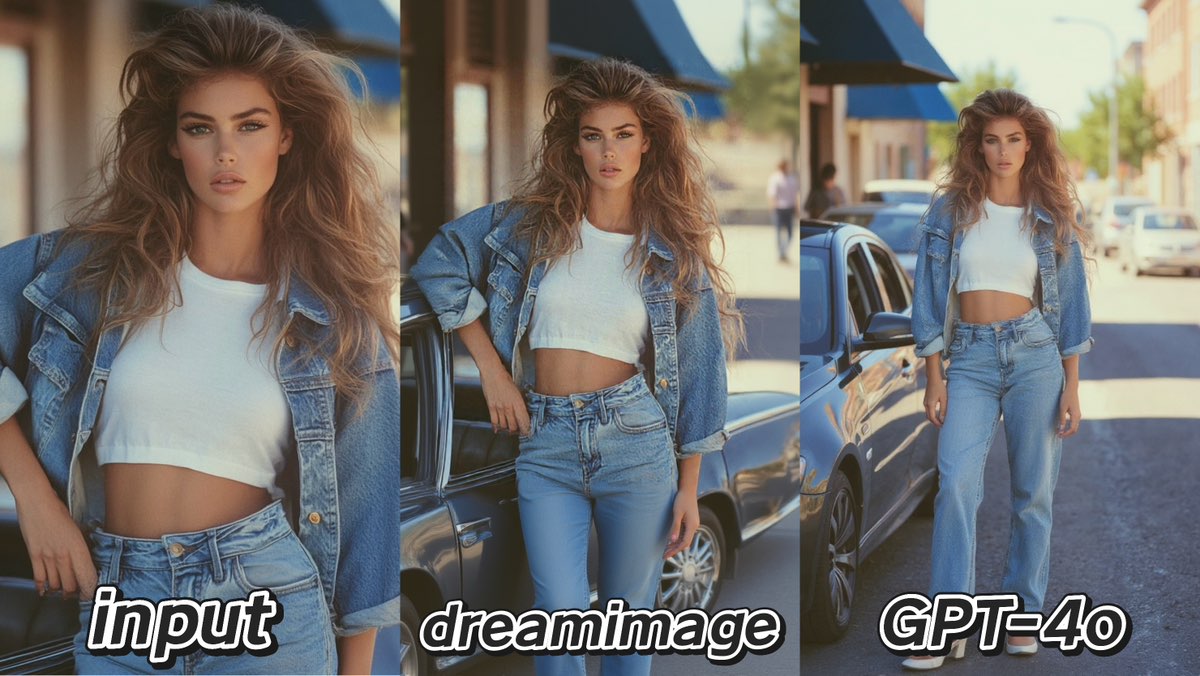
Dreamimage took a more creative approach, rendering the car as an interesting vintage model that enhanced the photo's style. Its weakness was that the overall lighting in its extension was slightly flatter and less vibrant than the original.
GPT-4o was flawless at extending the person's body and clothing, looking incredibly realistic while perfectly preserving the original photo’s sharp, sunny feel. However, its extension of the car was less imaginative.
Conclusion: Creativity vs. Photorealism
There is no single winner; the best tool depends on your goal.
Choose Dreamimage if your priority is bold, creative transformation. It excels at generating entirely new, well-composed scenes, even if it sacrifices perfect adherence to the original's style.
Choose GPT-4o if your priority is seamless photorealism. It is unmatched at creating believable extensions that are incredibly faithful to the original image's lighting, texture, and feel.

15 Seconds from Images to Talking Avatars: How DreamFace Powers Next-Gen Creativity
Sep 10, 2025
Bringing Avatars to Life: How PixVerse V5 and DreamFace Avatar Video Transform AI Storytelling
Sep 11, 2025
How to Create a 3D Figure from a Photo with Nano Banana
Sep 08, 2025
How to Use Google Nano Banana: Revolutionizing Your Photo Editing Experience
Sep 07, 2025
How to Create a Talking AI Bill Gates Avatar with Dreamface
In this guide, we'll walk you through how to create a realistic, talking AI Bill Gates using the powerful and intuitive features of Dreamface. We'll start by generating a unique image of Bill Gates with the AI Image tool and then bring him to life with the incredibly swift and dynamic Avatar 3.0 Fast feature.
By laaaara 一 Jul 14, 2025- AI Video
- Avatar Video
- AI image generator
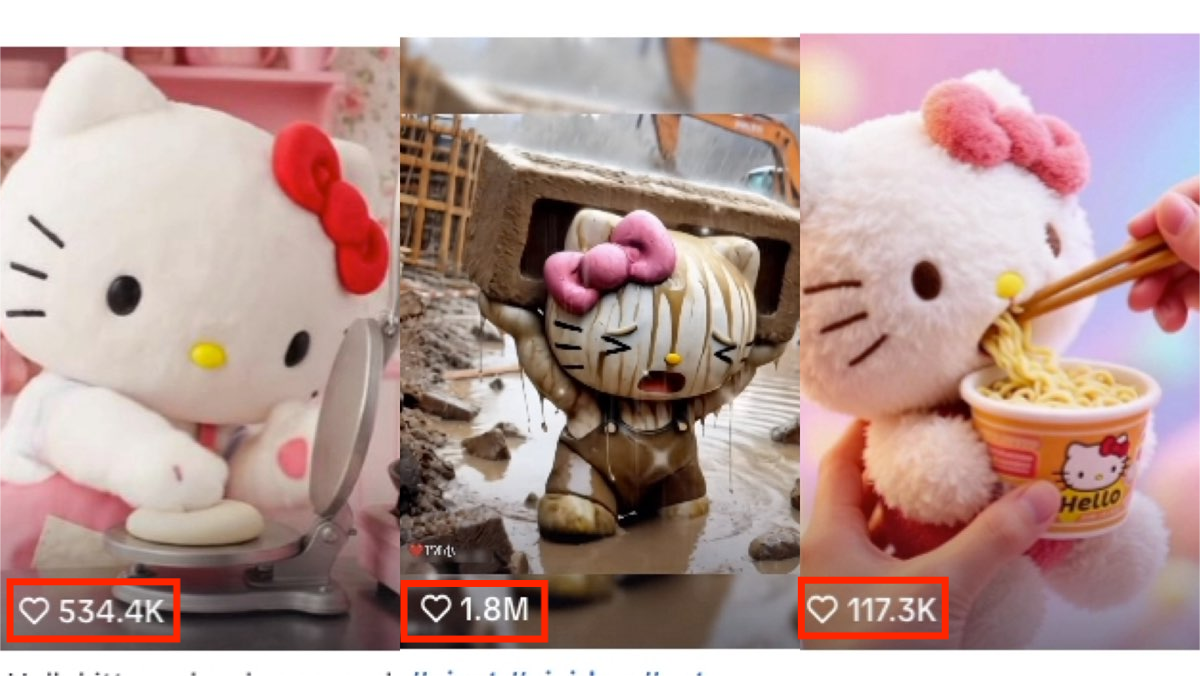
How to Create a Viral AI Hello Kitty Video: A Step-by-Step Guide
In this tutorial, we’ll show you how to make your very own AI avatar video featuring Hello Kittys with animated expressions. Follow these steps to craft a video that could easily become your next viral hit.
By laaaara 一 Jul 14, 2025- AI Video
- Photo To Video
- AI image generator
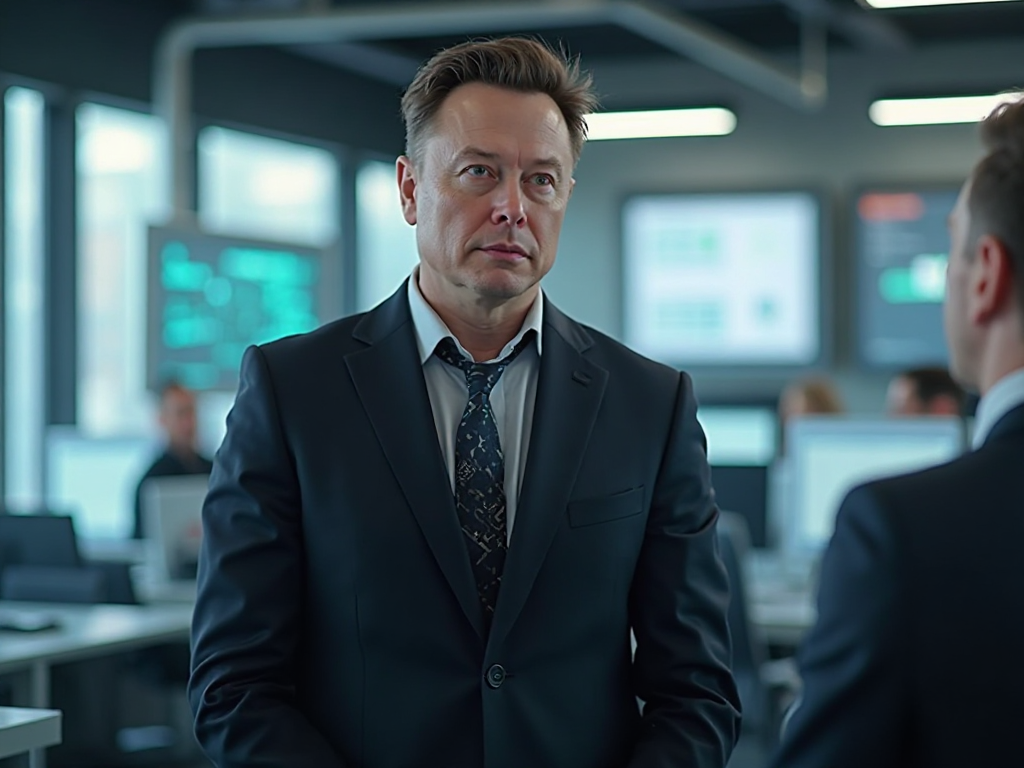
How to Create a Talking AI Elon Musk with Dreamface: A Step-by-Step Guide
In this guide, we'll walk you through how to create a realistic, talking AI Elon Musk using the powerful and intuitive features of the Dreamface app. We'll start by generating a unique image of Elon Musk with the AI Image tool and then bring him to life with the incredibly swift and dynamic Avatar 3.0 Fast feature.
By laaaara 一 Jul 14, 2025- Talking Avatar
- Avatar Video
- AI image generator
- X
- Youtube
- Discord